Skip to the content
App & Plugin Development

CM Reviews. Google reviews, designed into the website.

Our own WordPress plugin for Google reviews. Every day it collects each business’s newest reviews from Google and keeps them in the website’s own database, so they can be designed into any page like the rest of the content: carousels, spotlights, review walls, rating badges, a moving marquee and a small pop-up. No rented widget, no monthly fee and nothing loaded from a review company when a page opens. We built it for the websites we make in Etch, and we look after it on every one of them.

Product
CM Reviews, a WordPress plugin
Made by
Clifton Media
Built for
Etch, Automatic.css and WordPress
Live on
We Love Teeth and Diamond Court Dental Practice, with more practices to follow
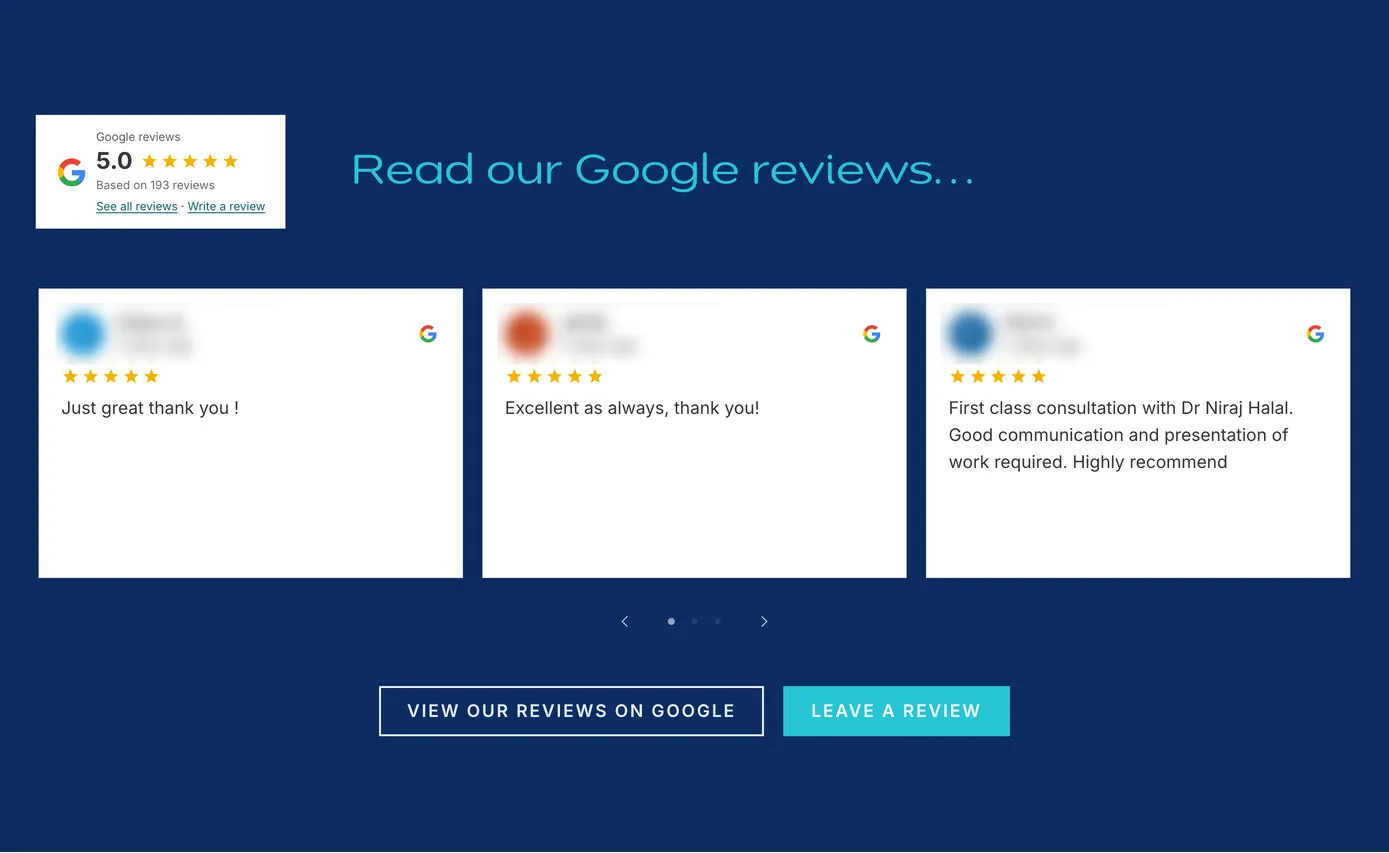
We Love Teeth’s home page: a Google reviews badge beside the heading “Read our Google reviews…”, then a carousel of review cards, each with the Google G, five stars and the patient’s words, and buttons to see the reviews on Google or leave one
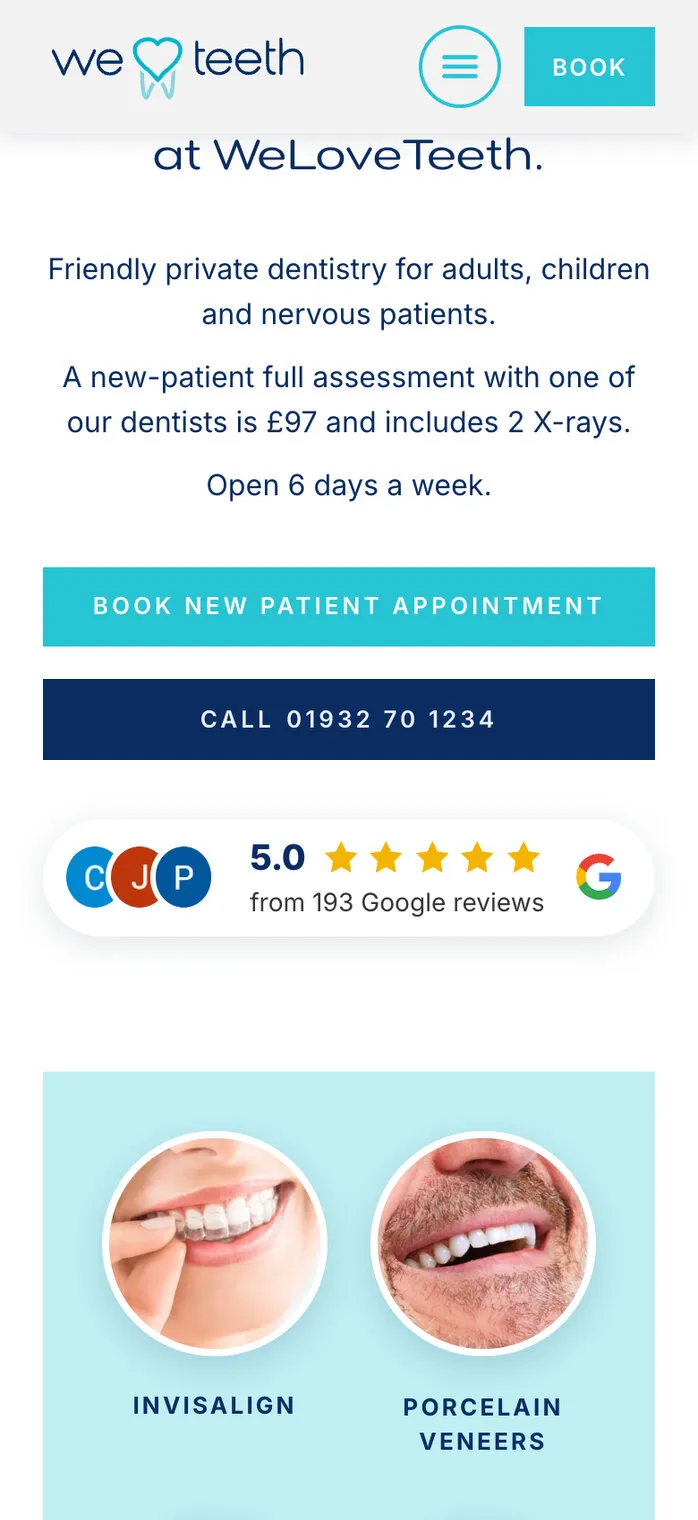
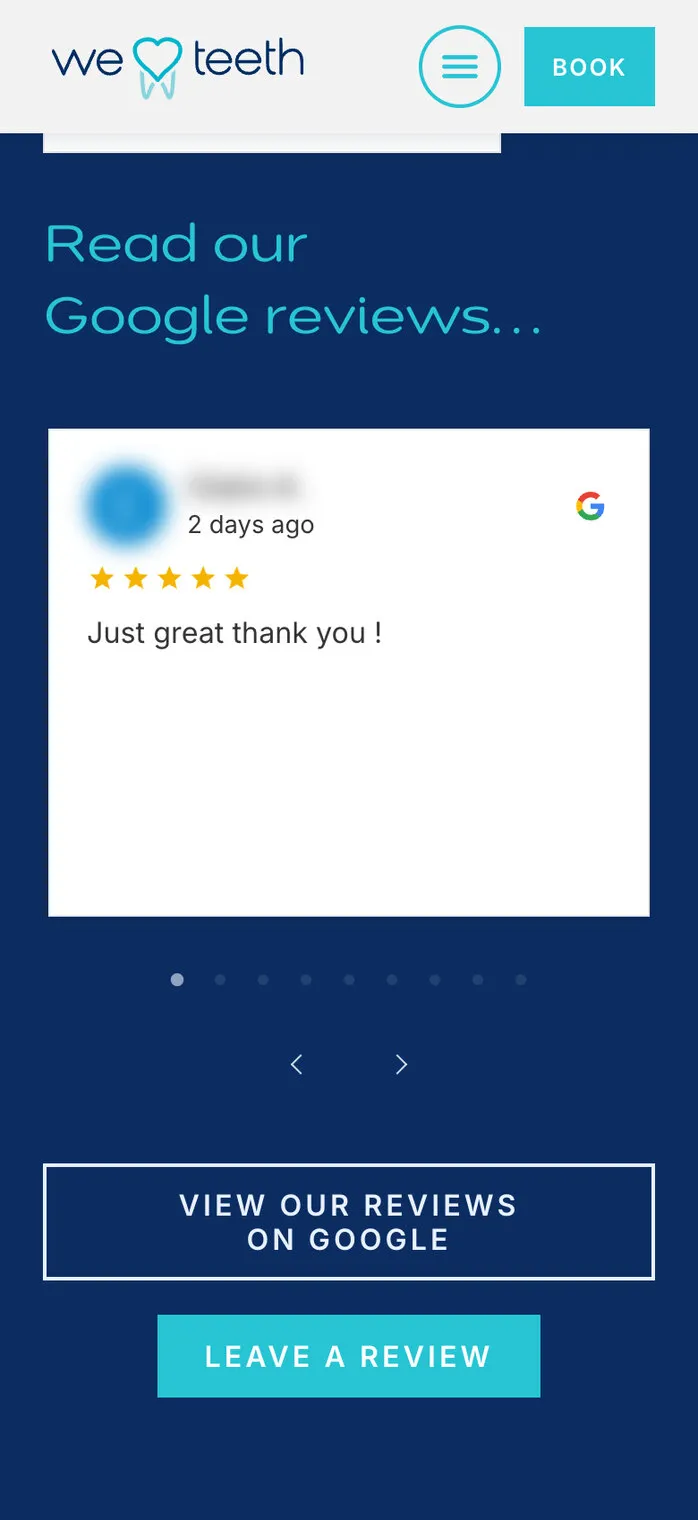
The same review carousel on a phone: one card at a time, with dots and arrows under it

We Love Teeth, Weybridge

The practice’s Google reviews on its home page, fresh from Google every day. Reviewers’ names and pictures are blurred in our screenshots.

  • Plugin
  • Etch
  • Google reviews
  • 24Releases in its first week on client sites, each one tested before it went out
  • 7Different review designs already live on two practices’ websites
  • 0Scripts from review companies loaded when a page opens
  • 100PageSpeed score on a computer for We Love Teeth, reviews and all (our test, 16 Oct 2026)
01

Reviews you own, not rent

For a dental practice, a physio clinic or any local business, Google reviews are often the first thing a new customer looks for. The usual way to show them on a website is a review widget: a monthly subscription, a script from another company on every page, and a slider that looks much the same on thousands of sites. The rating beside it is often typed in by hand, so it starts going out of date the day the next review arrives.

We wanted the reviews to be part of the website itself: stored on it, designed with it and always up to date. So we built our own.

  1. A monthly widget subscriptionPaid for every site, every month, for as long as the site runs
  2. Another company’s script on every pageExtra weight on the page, and another company in the visitor’s browser
  3. The same slider as everyone elseA few colour settings, never quite the practice’s own style
  4. A review count typed in by handOut of date as soon as the next review lands
  5. CM ReviewsThe reviews in the website’s own database, designed into each page, and kept up to date by us.
02

From Google to the page, every day

Each business is connected once, by its Google listing. From then on the website checks Google every day for new reviews, along with the business’s current rating and number of reviews. Each new review arrives as a proper WordPress entry: the reviewer’s first name and initial, the stars, their words, the date, the practice’s reply and a link straight to that review on Google.

Because everything is already stored on the site, a visitor’s browser never has to ask Google or a review company for anything. The reviews arrive with the page, as quickly as the rest of it.

Google listing ★★★★★ ★★★★★ New reviews · rating · count Every day stored on the website, ready for any design The practice’s site ★★★★★★★★★★★★★★★ G★★★★★ Badge Pop-up Carousel · badge · pop-up Nothing loaded from Google when a page opens

How a review reaches the page. The daily check runs on the website’s own schedule, so nobody has to remember it.

  • Your changes are kept. If someone at the practice shortens a review or picks a different photo, the daily check leaves that review alone from then on. A review that’s been deleted is never brought back.
  • Nothing goes missing. When Google says there are more reviews than the site holds, it quietly catches up on the older ones.
  • It says when something’s wrong. If the reviews ever stop updating, a red notice appears in WordPress and an email goes to the site’s administrator, with a reminder each week until it’s fixed.
  • The page cache is refreshed for you. When a check brings in something visitors would see, the site’s page cache is cleared, so the new review shows straight away.
03

One set of reviews, any design

Because the reviews live on the site, each website can show them in its own style. These are the designs live on two practices’ websites today: open one to see it, then follow the link to the real page.

  • We Love Teeth’s home page reviews: a rating badge and a carousel of three review cards on navy

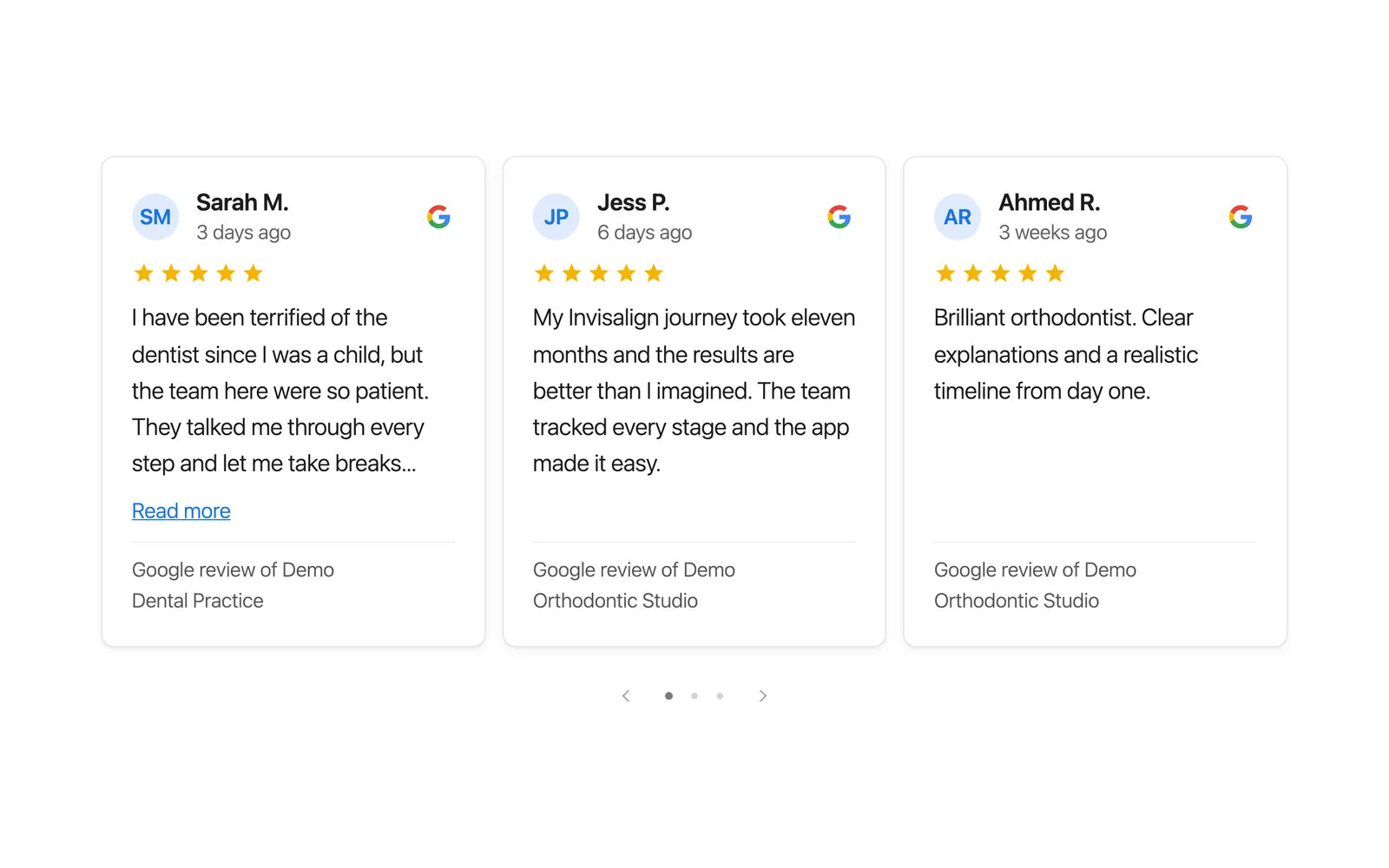
    A carousel of review cards

    We Love Teeth’s home page: the rating badge, then the newest reviews, three at a time on a computer and one at a time on a phone.

    See it live
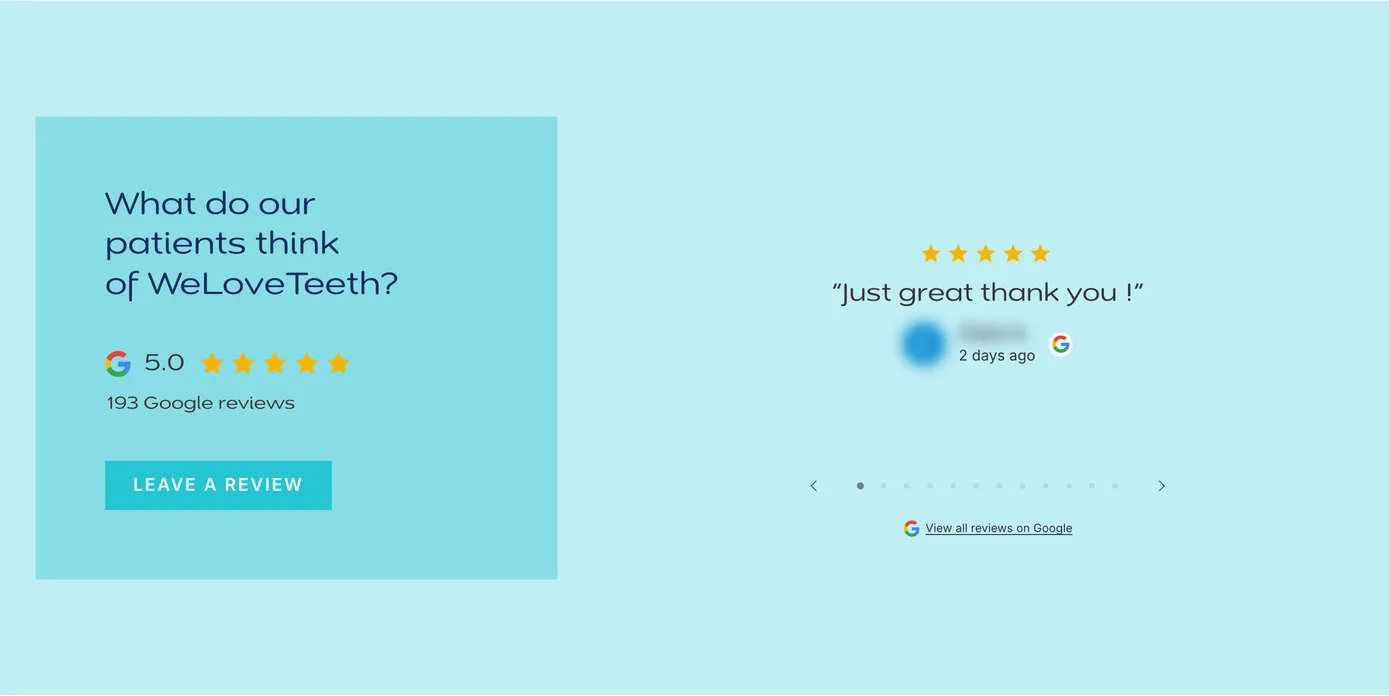
  • A spotlight carousel: one review at a time in large type beside a panel asking what patients think, with a Leave a review button

    A spotlight, one review at a time

    On We Love Teeth’s new-patient pages, a single review in large type, so each patient’s words have room to breathe.

    See it live
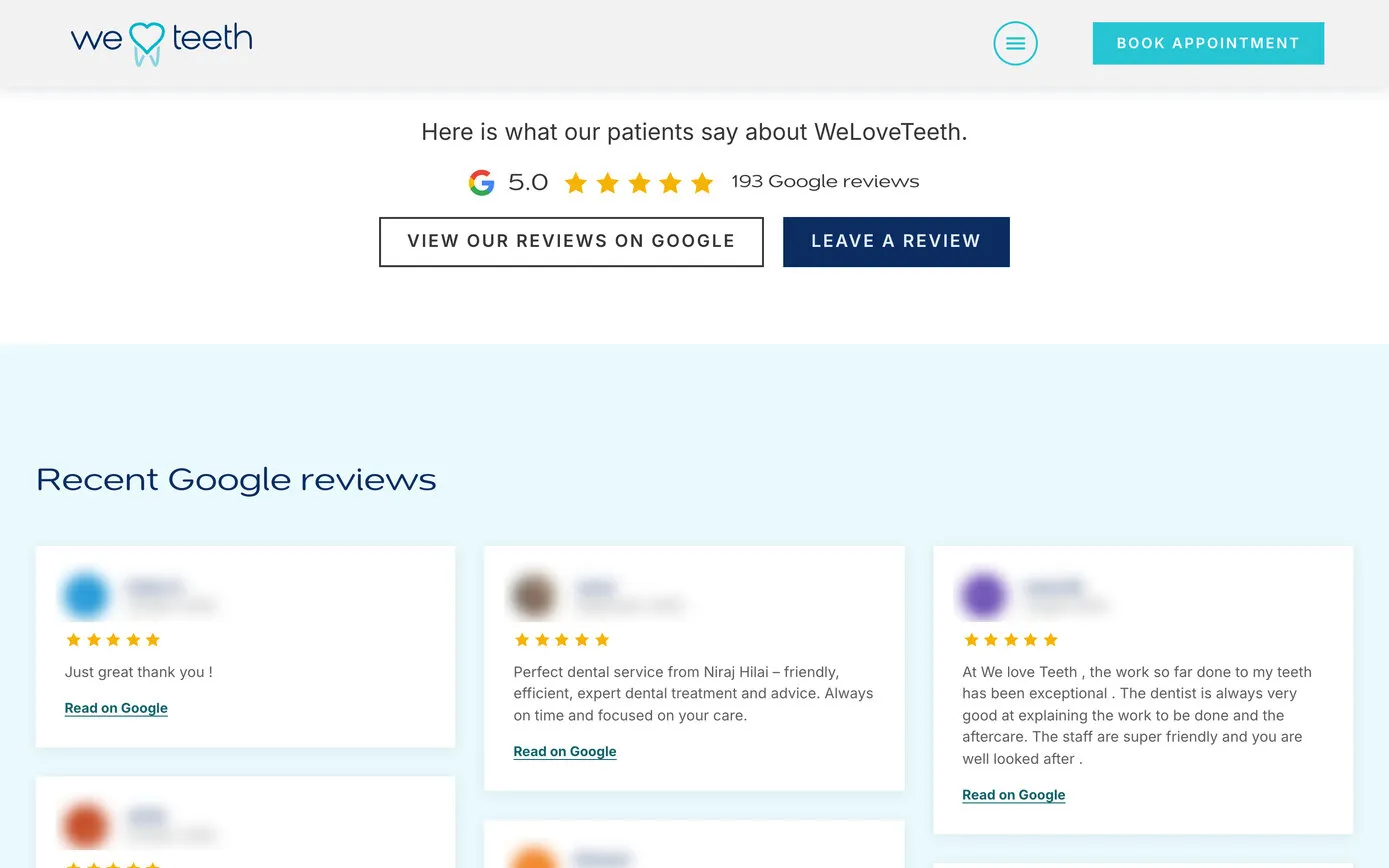
  • A wall of Google reviews in three columns under the heading Recent Google reviews, with a rating line and buttons above it

    A wall of reviews

    We Love Teeth’s patient testimonials page: an Etch loop over the stored reviews, designed in Etch like any other part of the page.

    See it live
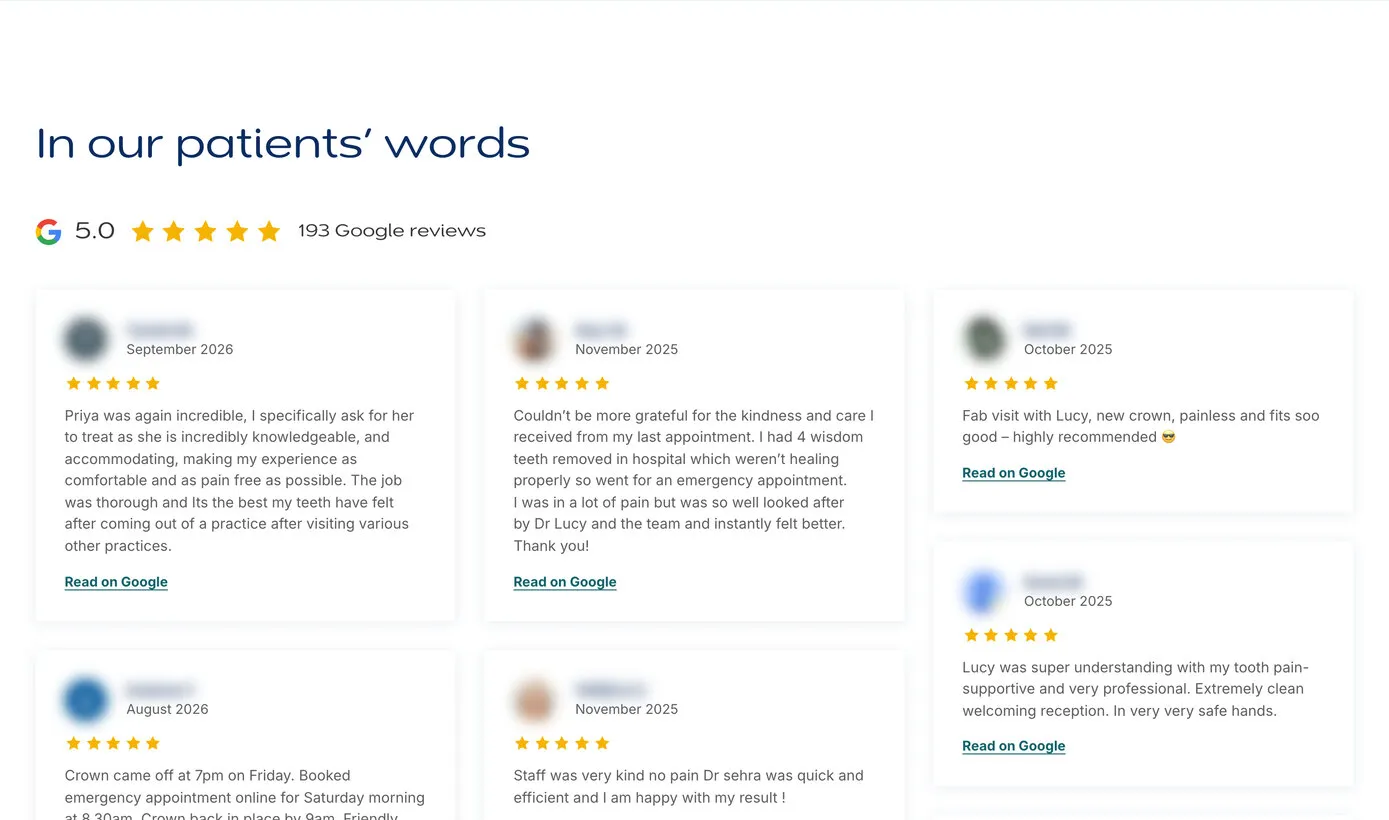
  • The reviews on an advert landing page: In our patients’ words, a rating line, and long reviews in three columns, each with a Read on Google link

    Reviews where adverts land

    On the pages people reach from the practice’s Google Ads, the longest and most detailed reviews, each with a link to read it on Google.

    Read the case study
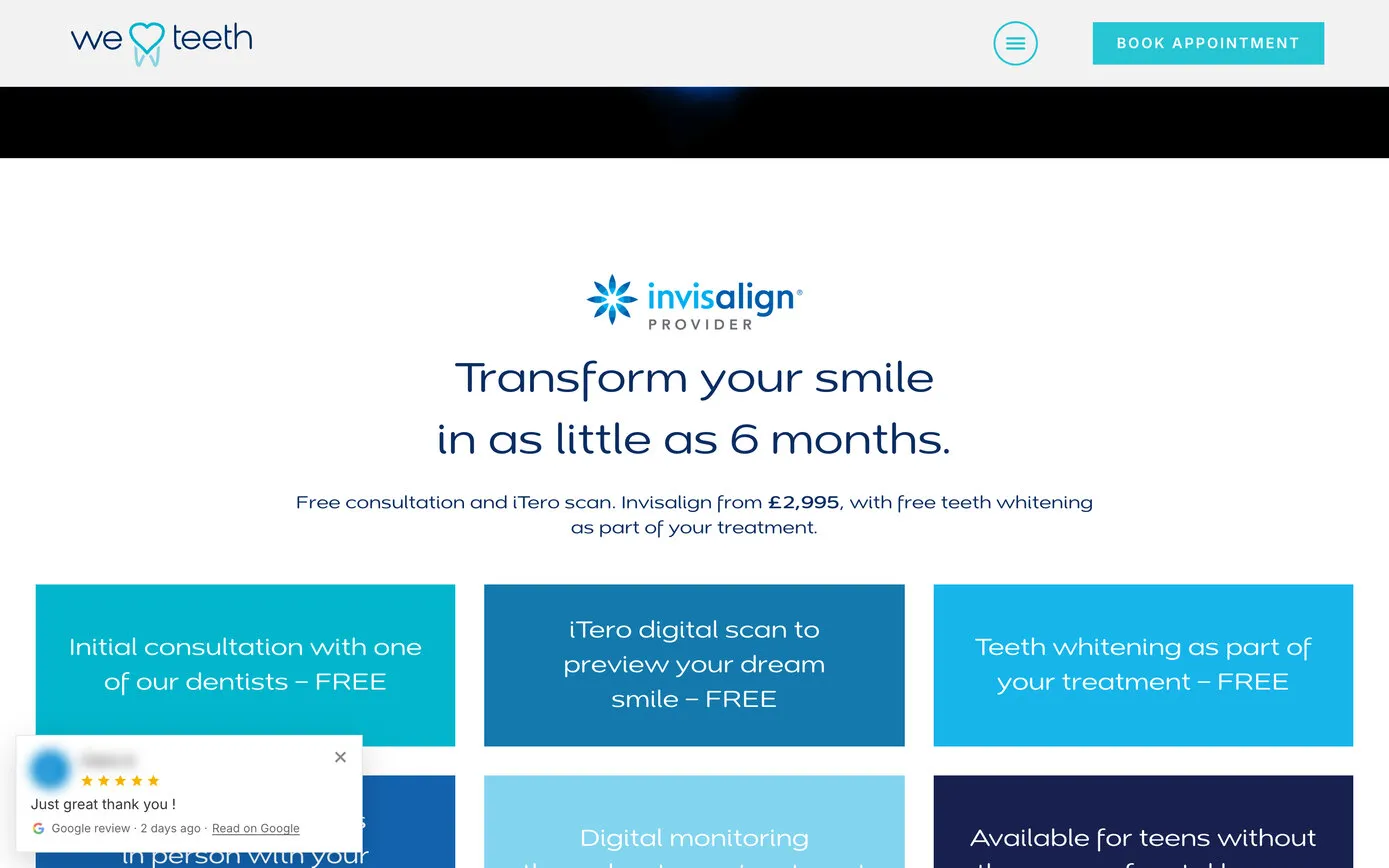
  • We Love Teeth’s Invisalign page with a small Google review card in the bottom left corner: five stars, the patient’s words and Read on Google

    A small pop-up review

    A review slides up in the corner a few seconds after the page opens, then the next, and steps aside on phones so it never covers what matters.

    See it live
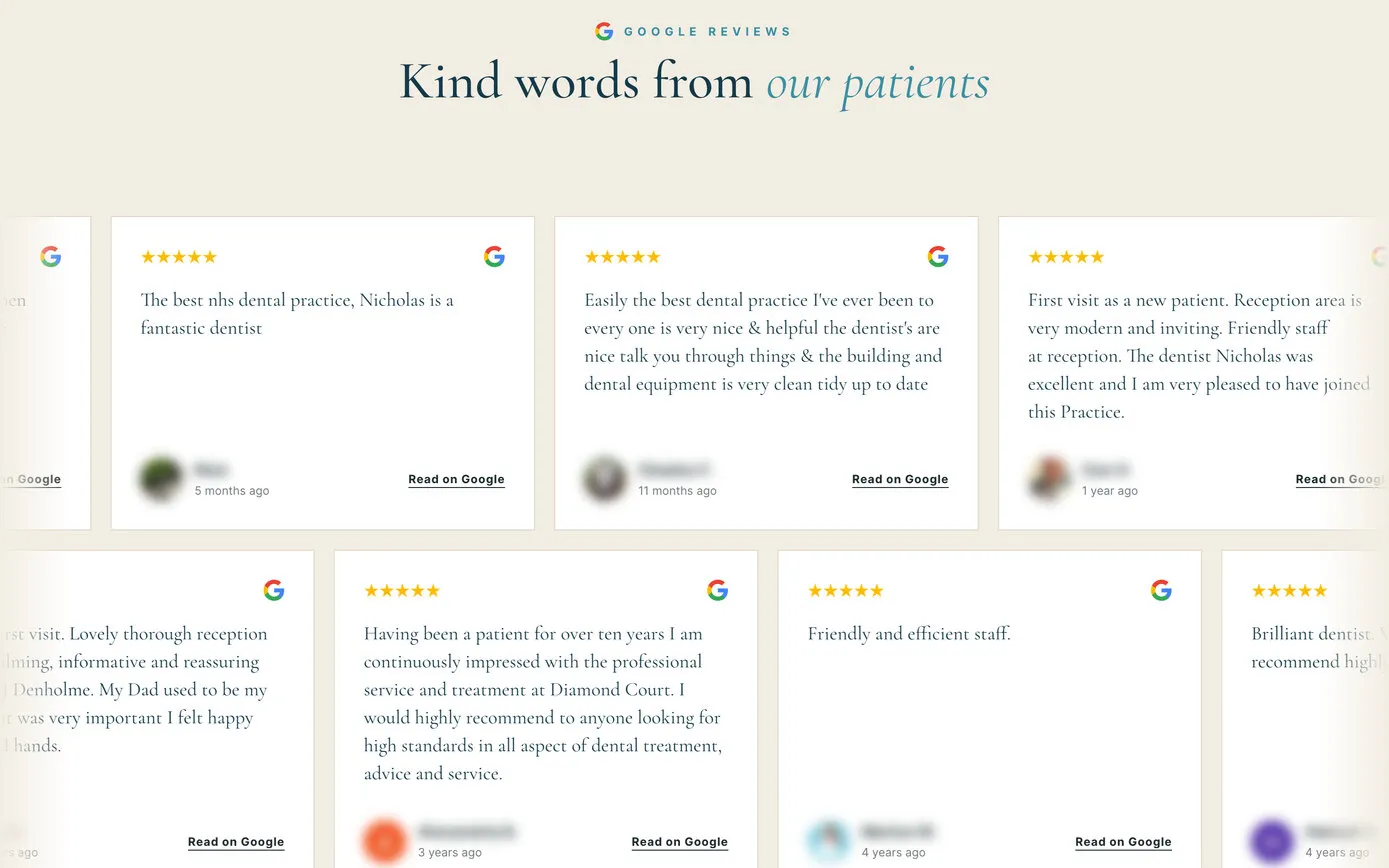
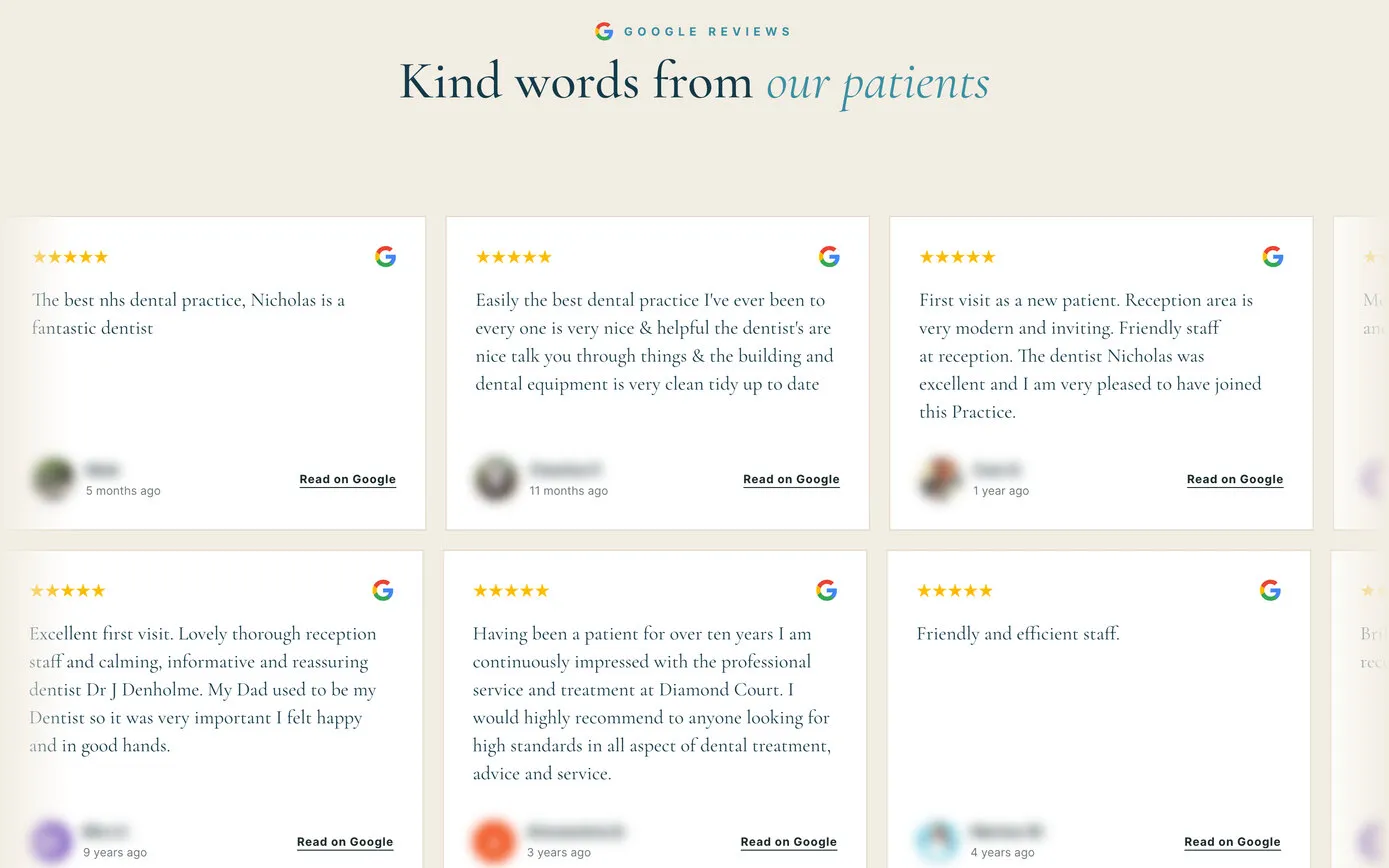
  • Diamond Court Dental Practice’s home page: Kind words from our patients, above two rows of review cards drifting in opposite directions

    Two rows, drifting

    Diamond Court’s home page: two rows of reviews gliding slowly in opposite directions, built in Etch, with a Pause button and stillness for anyone who prefers less motion.

    See it live
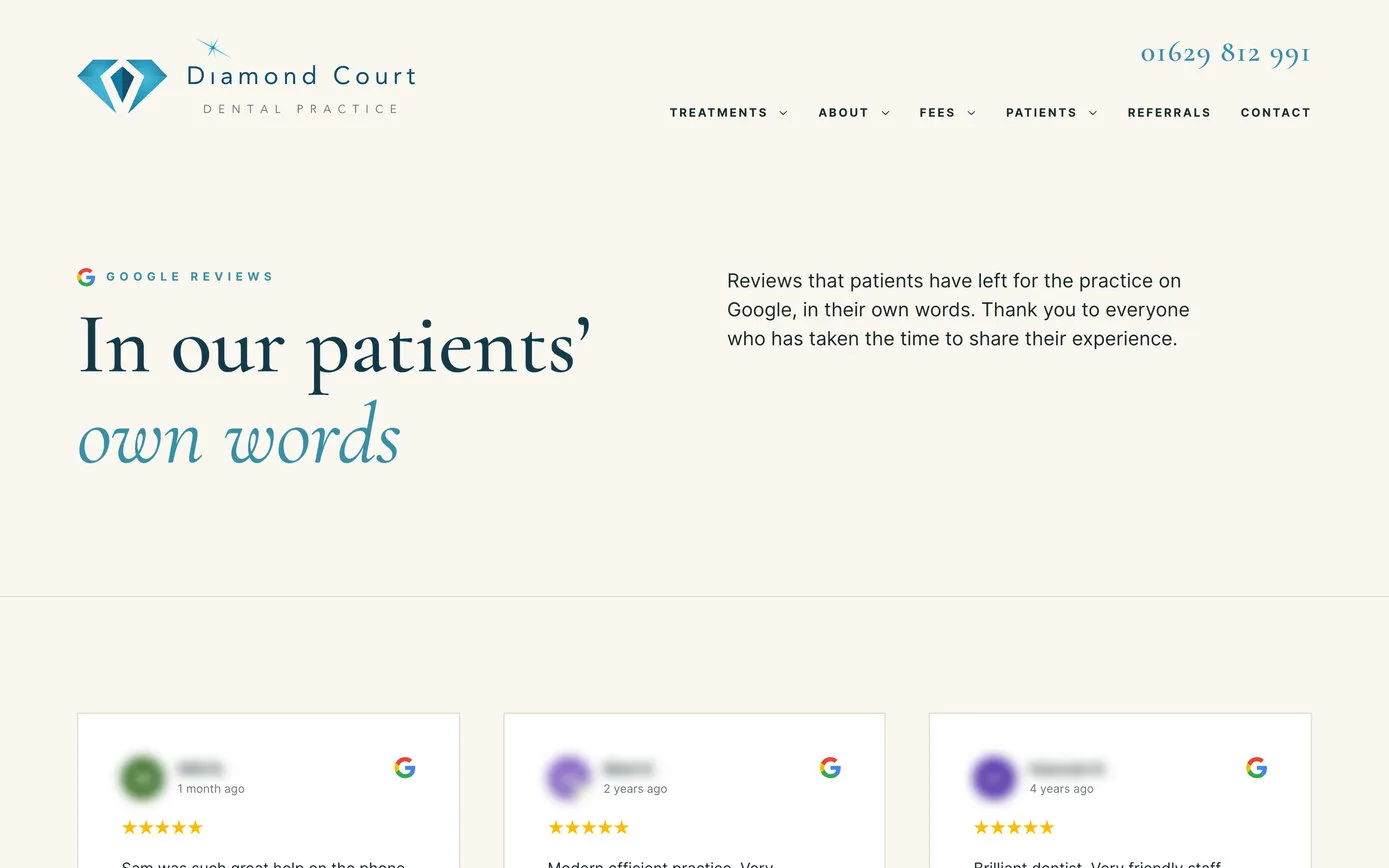
  • Diamond Court’s Google reviews page: In our patients’ own words, then a masonry of review cards in three columns

    A page of its own

    Diamond Court’s Google reviews page: every review in a masonry of cards, in the practice’s own typefaces and colours.

    See it live

Our screenshots of the live sites, 16 October 2026, with reviewers’ names and pictures blurred.
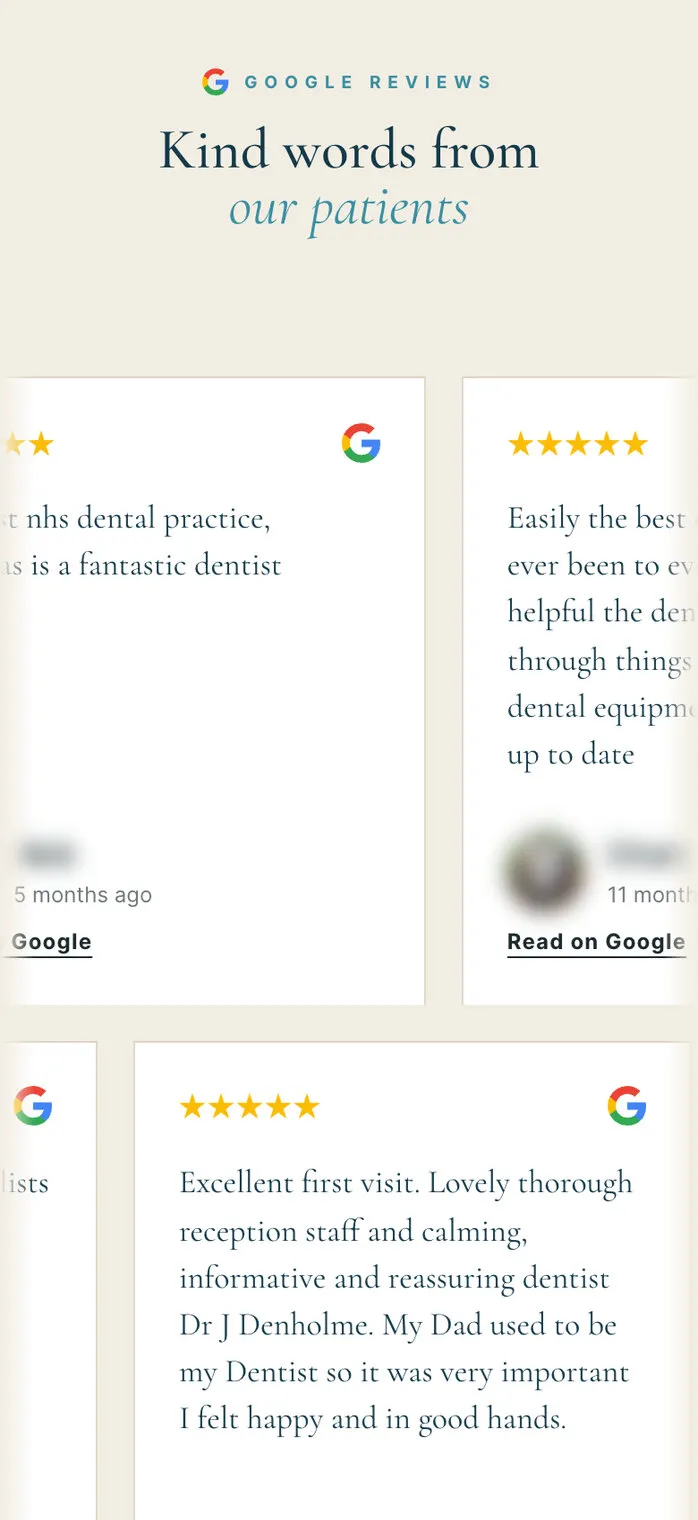
Diamond Court’s review marquee on a phone: Kind words from our patients over the drifting review cards

The marquee on a phone

Diamond Court Dental Practice, Bakewell.

  • Etch loop
We Love Teeth’s new-patient page on a phone: the booking and call buttons, then a rating badge with the Google G, stars and the number of reviews

A badge under the buttons

We Love Teeth: the rating, just where people decide to book.

  • Badge
04

Made for the way we build, in Etch

We build our websites in Etch, a visual builder for WordPress, with Automatic.css looking after the spacing, type and colours. CM Reviews was designed around that way of working, in two ways.

Designed from scratch. Each review is real WordPress content, so in Etch it behaves like any other content. We design one review card in the builder, in the site’s own fonts and colours, and Etch repeats it for every review: a wall, a marquee, a slider or a single quote. The rating, the number of reviews and the link to the Google listing can go into any heading, sentence or button, and the practice can still edit everything around them in Etch.

Ready to drop in. For a quick result there are six finished designs, each one line long, that pick up the site’s own fonts and colours. Their names were chosen not to clash with Automatic.css, so they never inherit a style meant for something else.

A spotlight of Invisalign reviews

[cmrev_carousel design="spotlight" category="invisalign"]

A rating badge for this page’s practice

[cmrev_badge design="pill"]

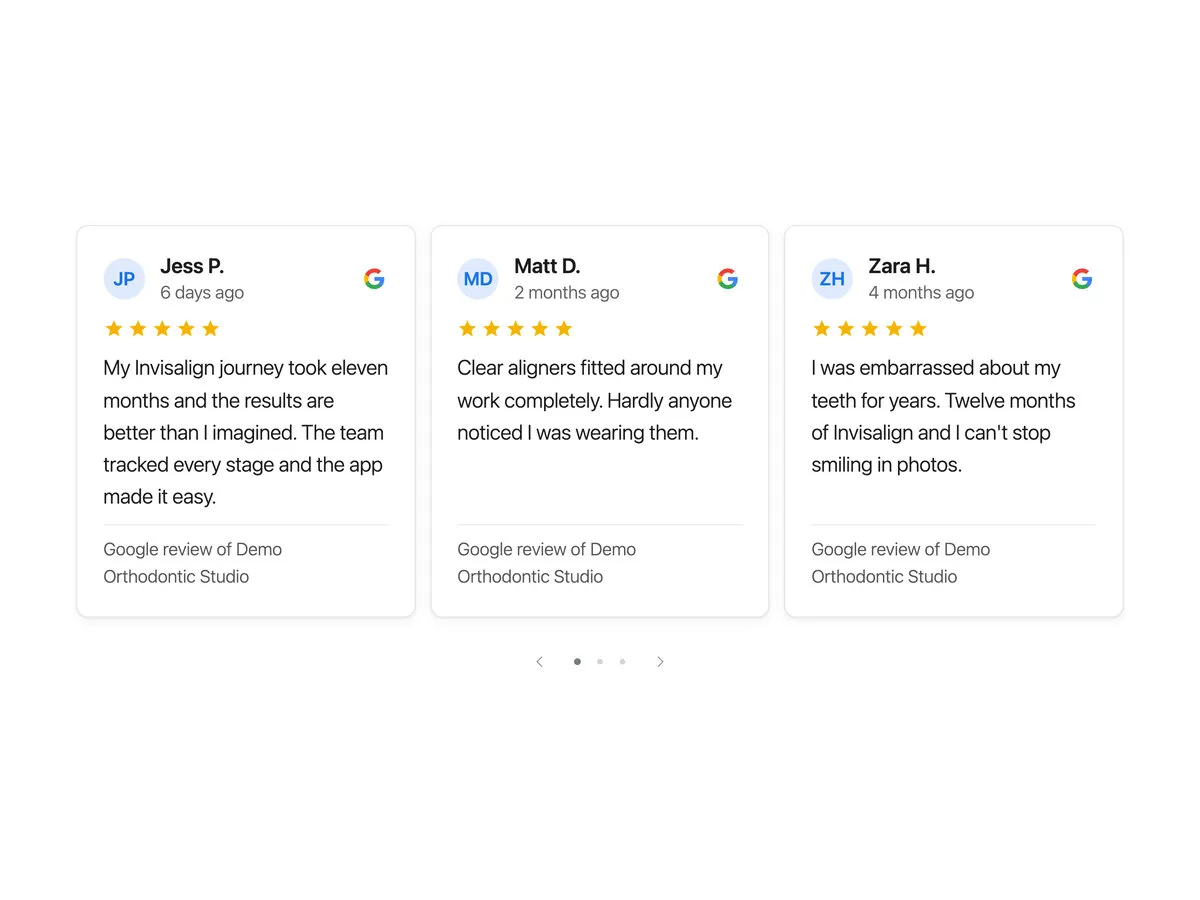
Three review cards side by side, each with initials in a circle, the reviewer’s name, how long ago, five stars, the Google G, the review and the practice it’s for
Cards
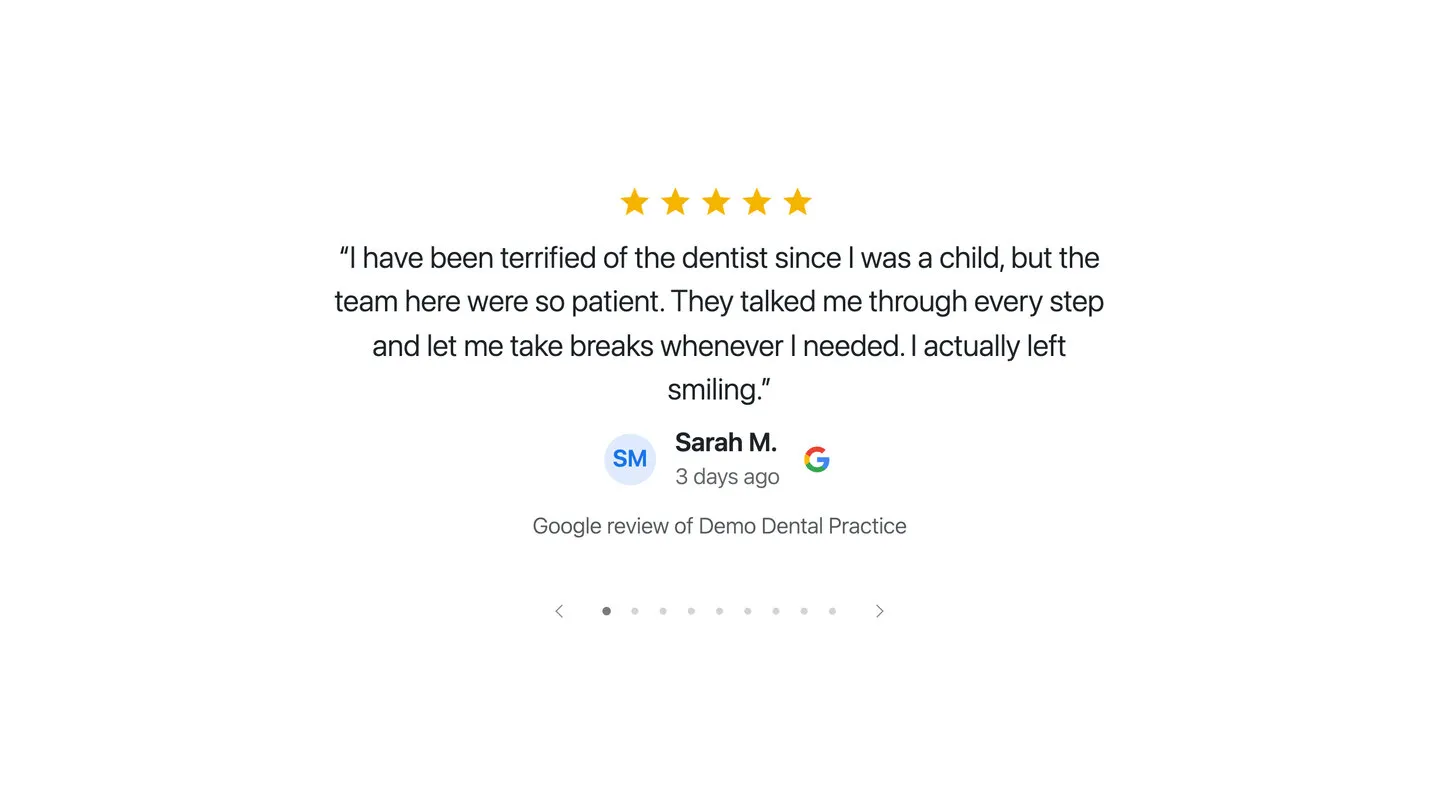
A single review in large type, centred under five stars, with the reviewer and the Google G beneath
Spotlight
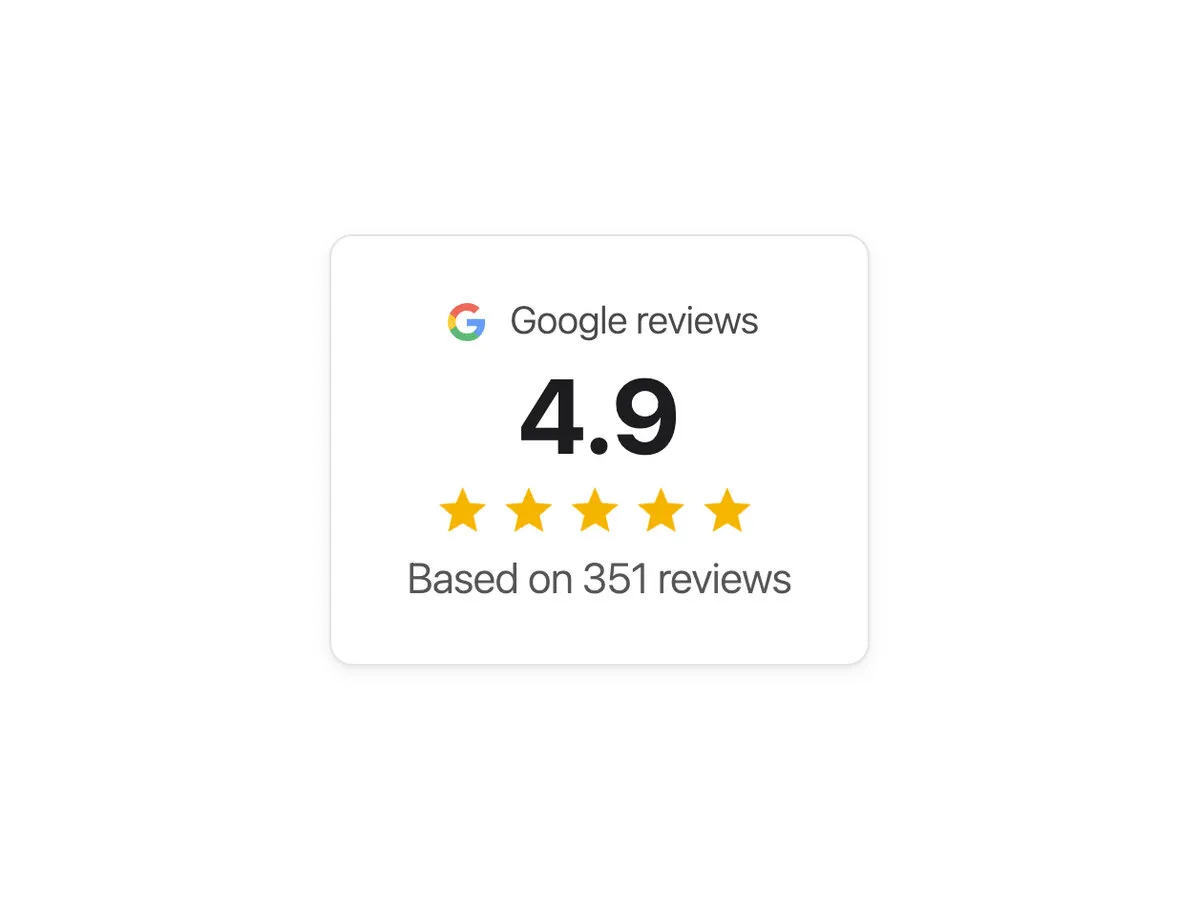
A rating card: the Google G and Google reviews, a large average, five stars and the number of reviews it’s based on
Rating card
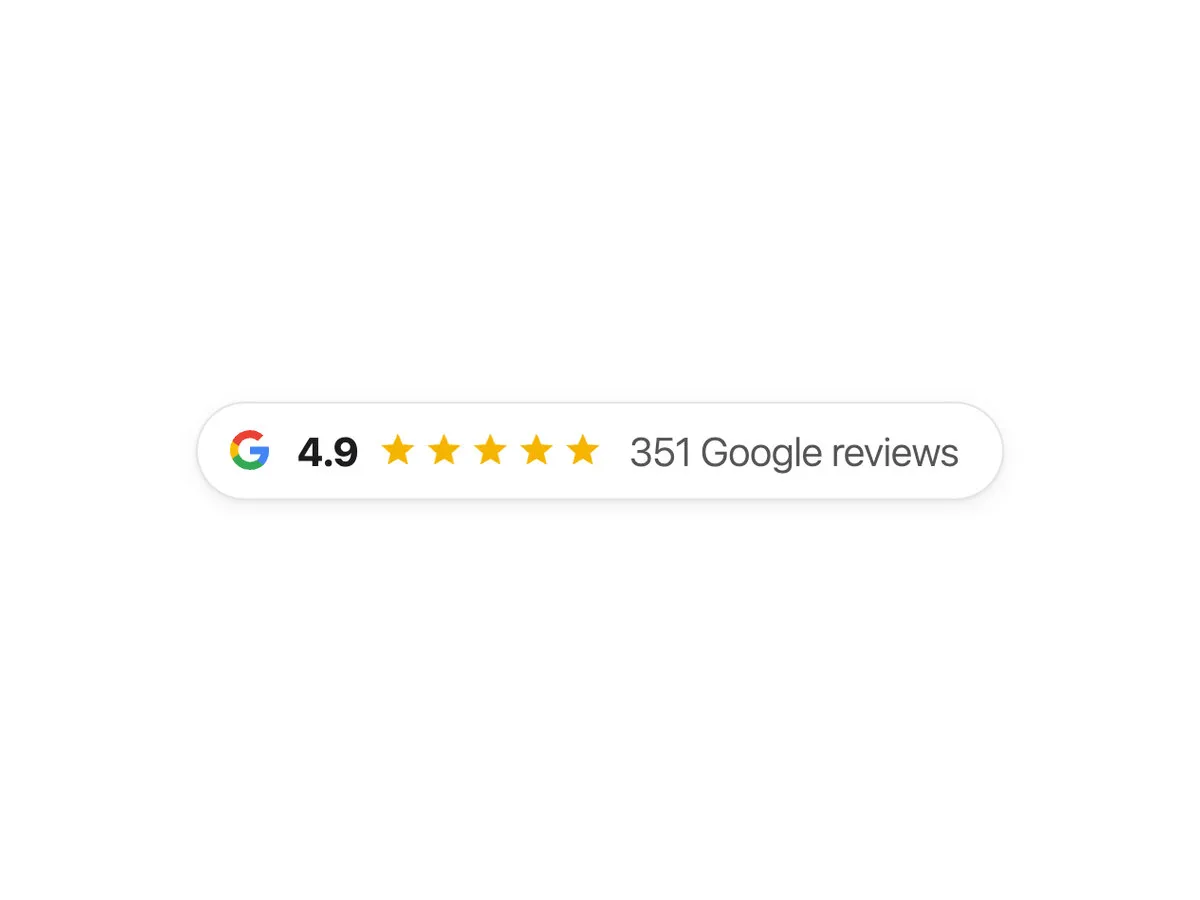
A slim rating pill: the Google G, the average, five stars and the number of Google reviews
Rating pill
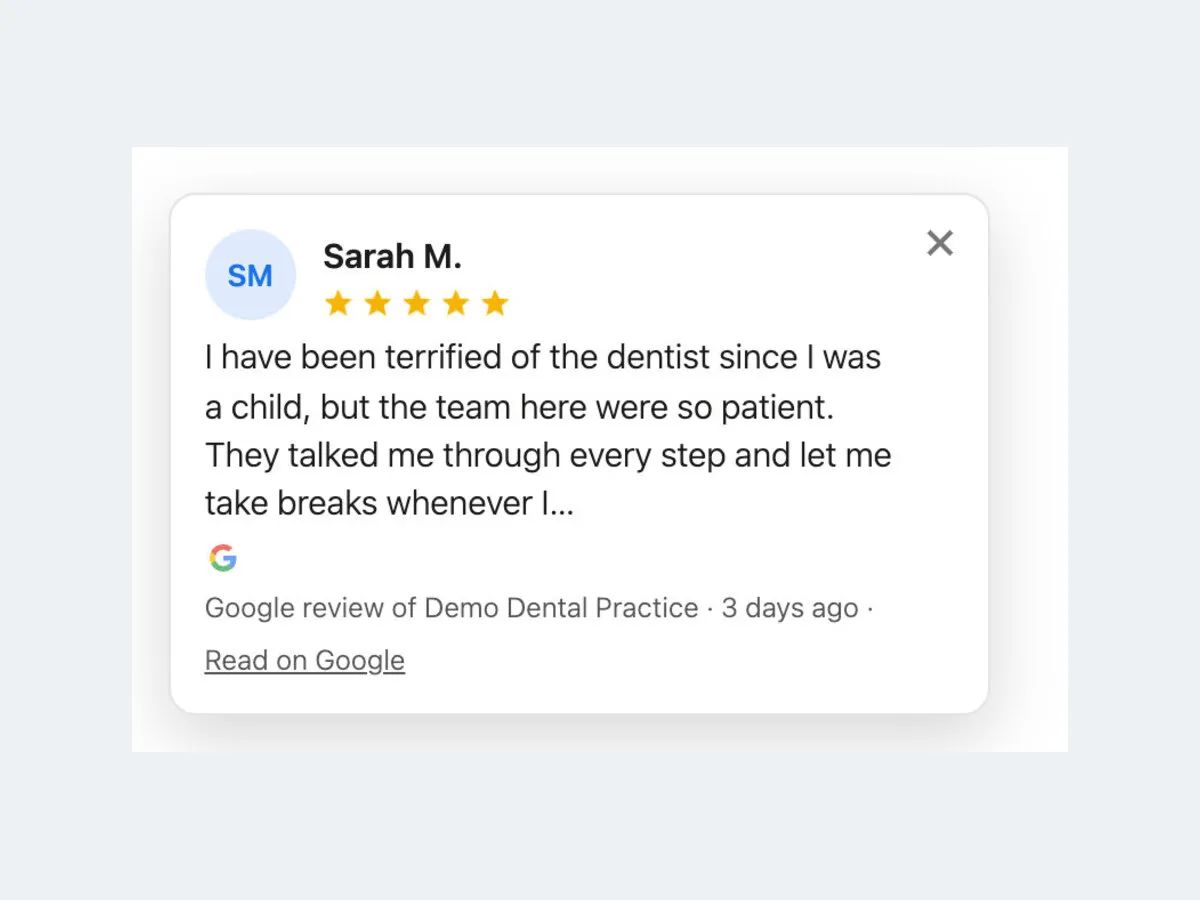
The pop-up review card: initials, name, five stars, the review, and Read on Google
Pop-up
A carousel showing only Invisalign reviews
One category
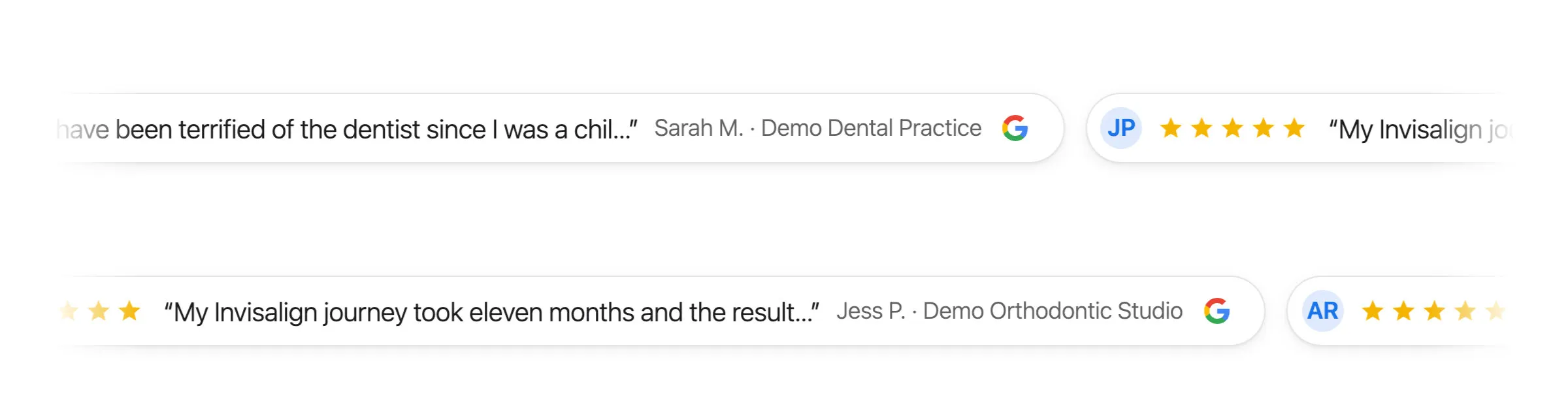
A ticker: short review quotes in rounded chips, each with stars, the reviewer and the Google G, moving slowly sideways
Ticker

The six ready-made designs, on a demo site with made-up reviews.
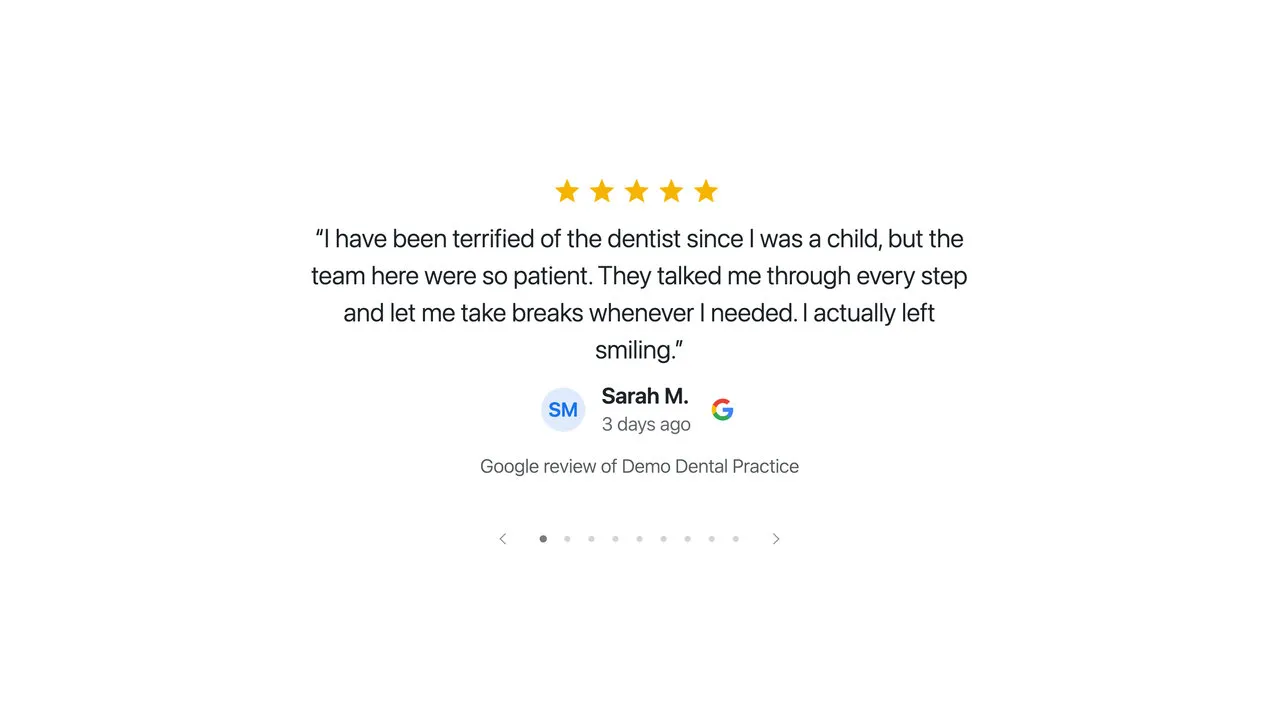
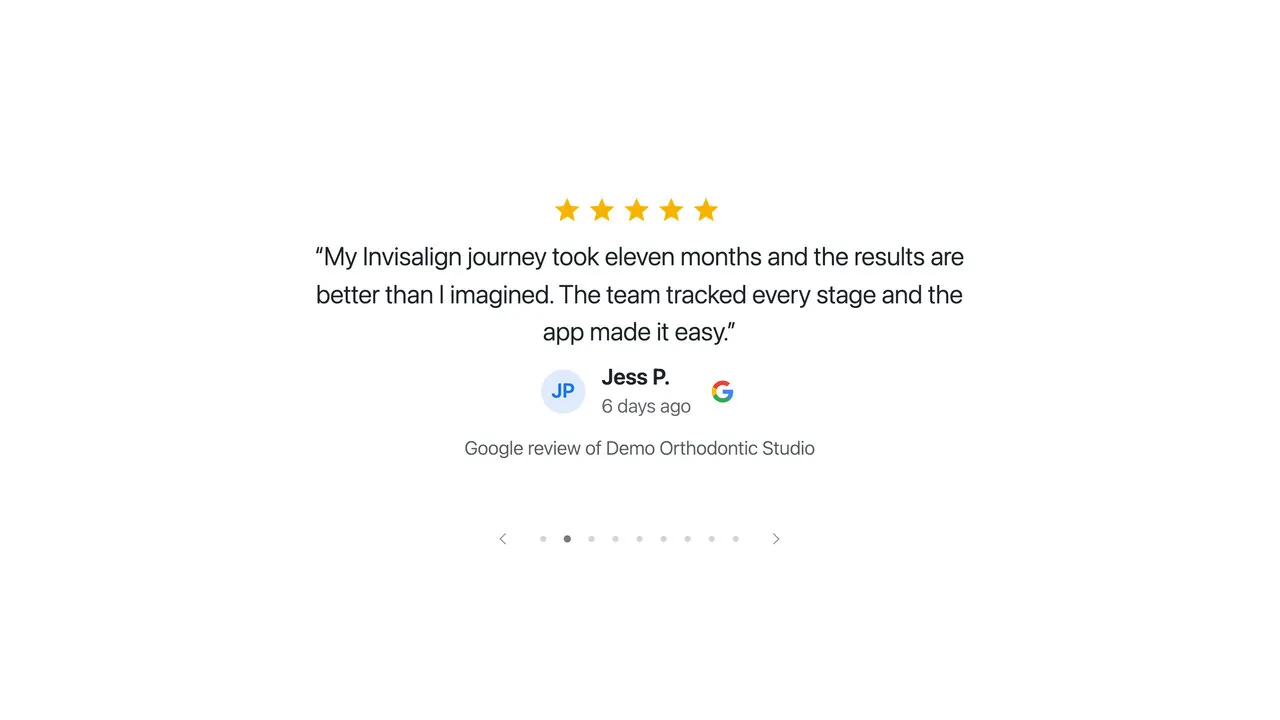
  • The spotlight showing a review about a nervous patient’s first visit

    The spotlight, first review

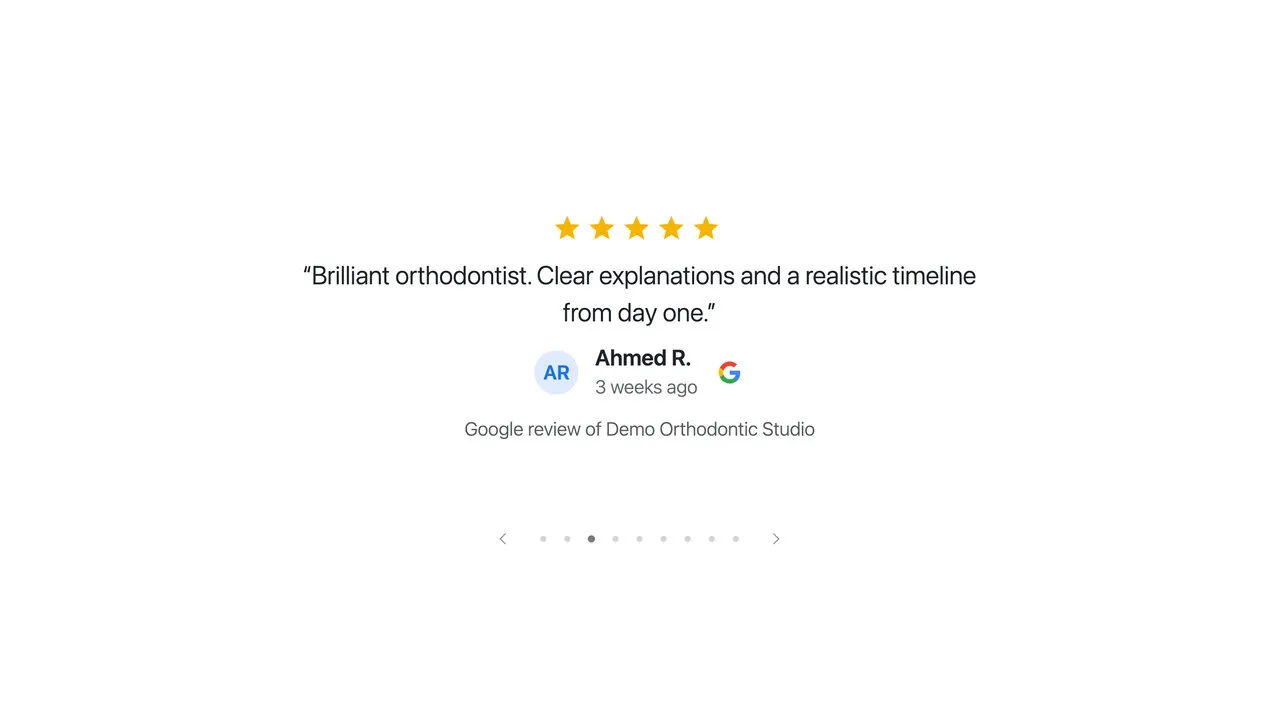
  • The spotlight a few seconds later, showing the next review

    A few seconds later

  • The spotlight showing a third review, its dots moved along

    And the next

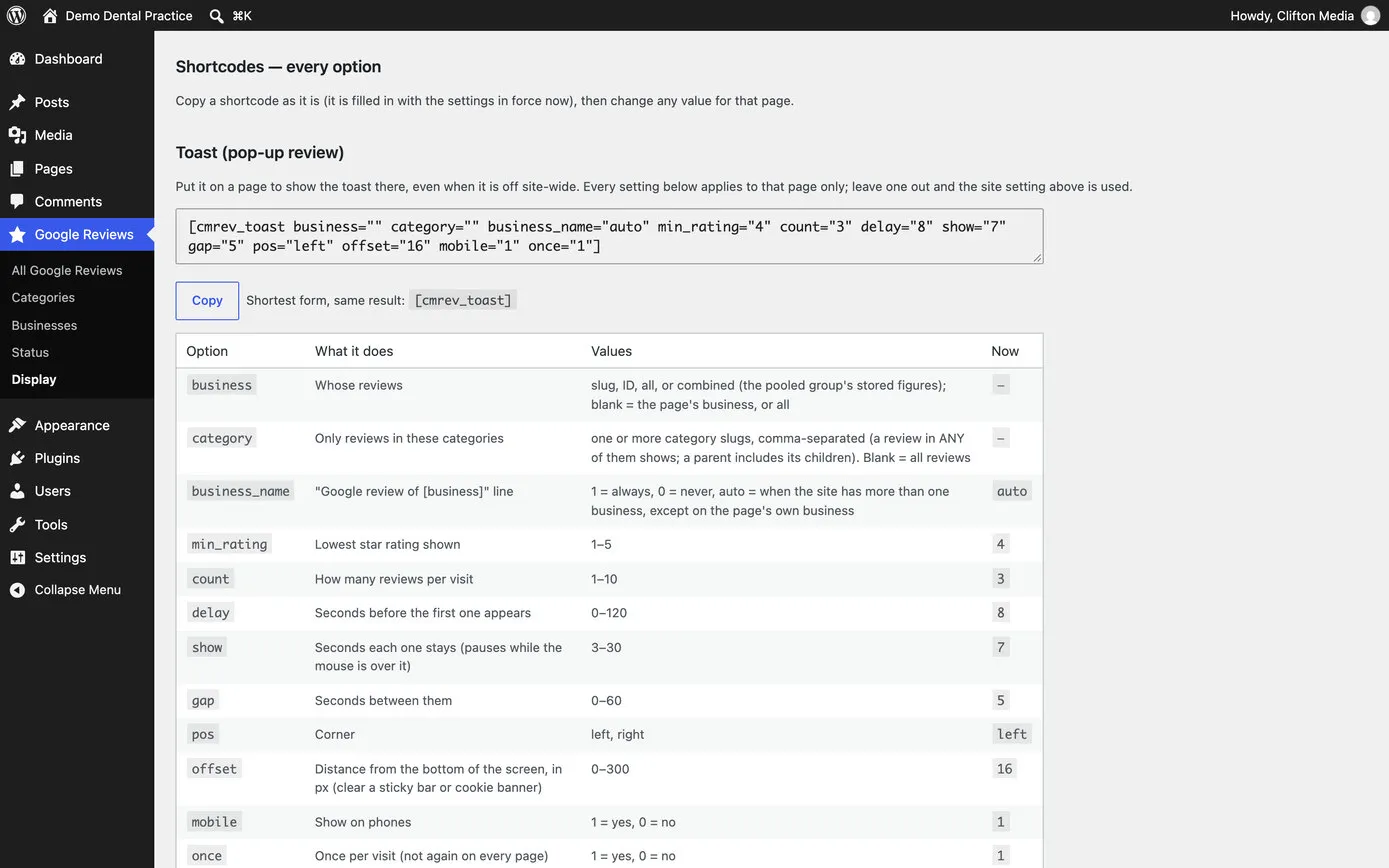
The Display page’s Shortcodes, every option section: a ready-to-copy line for the pop-up review filled in with today’s settings, and a table of every option, what it does, the values it takes and the value in force now

Every option, ready to copy

The Display page lists every design with all its options and the values in force, so a line can be copied, changed and pasted into Etch.

  • Admin
  • Etch
05

The right review on the right page

A practice with hundreds of reviews doesn’t want the same three on every page. So reviews can be sorted into categories, in WordPress, by the practice: Invisalign, implants, hygiene, nervous patients. Then the Invisalign page shows reviews about Invisalign, and the page for nervous patients shows reviews from people who were nervous too.

The practice chooses a lowest star rating once, and it applies to every review on the site: the ready-made designs, every loop designed in Etch, all of them. Ratings and totals still show Google’s real figures, so nothing is hidden from the numbers.
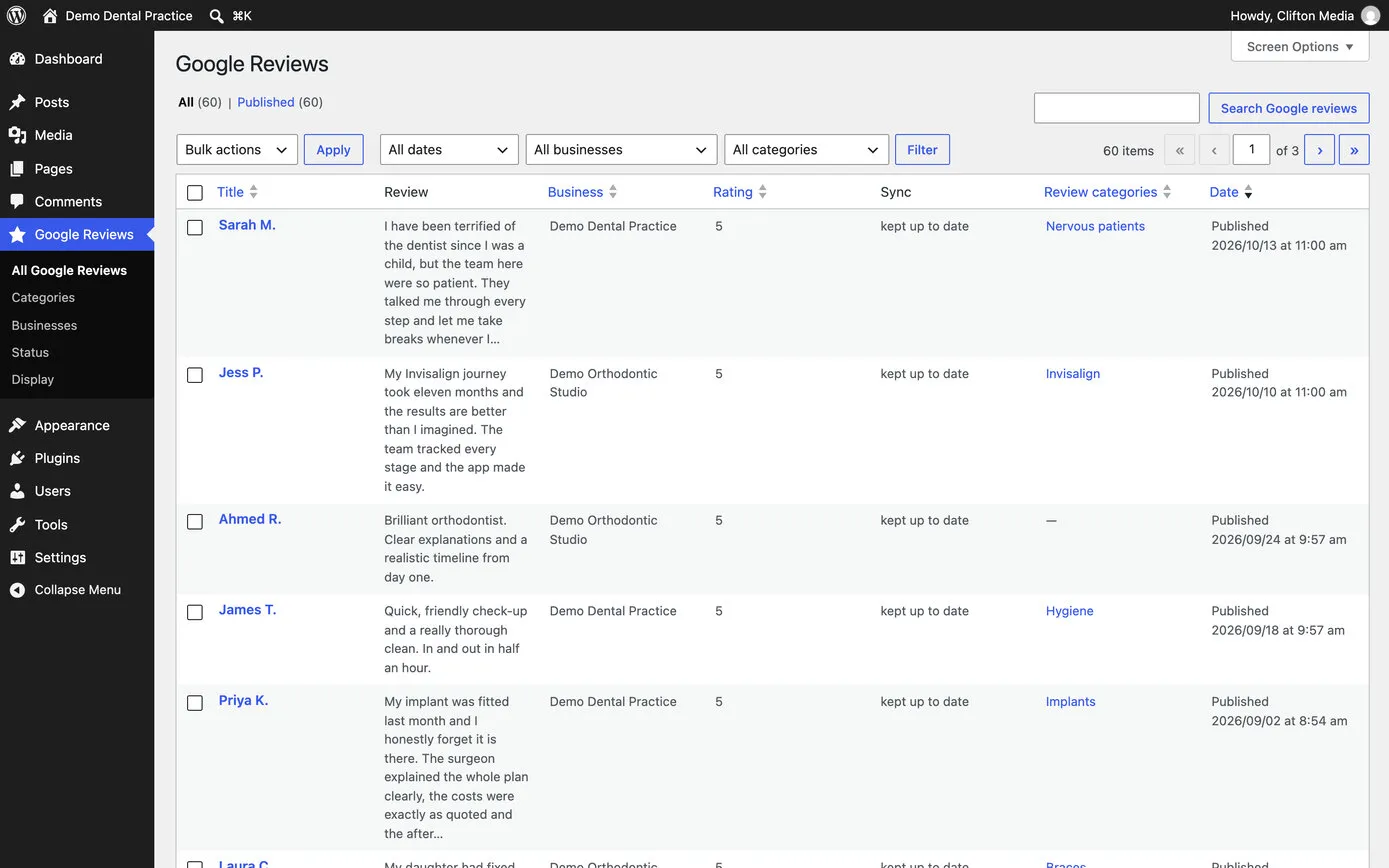
The list of Google reviews in WordPress: filters for date, business and category, then each review with its reviewer, the words, the business, the rating, whether it is kept up to date, its categories such as Invisalign, Hygiene and Implants, and the date

Every review, in WordPress

Filter by practice or category, search the words, sort by rating, and tag many reviews at once. Shown on a demo site with made-up reviews.

  • Admin
  • Categories
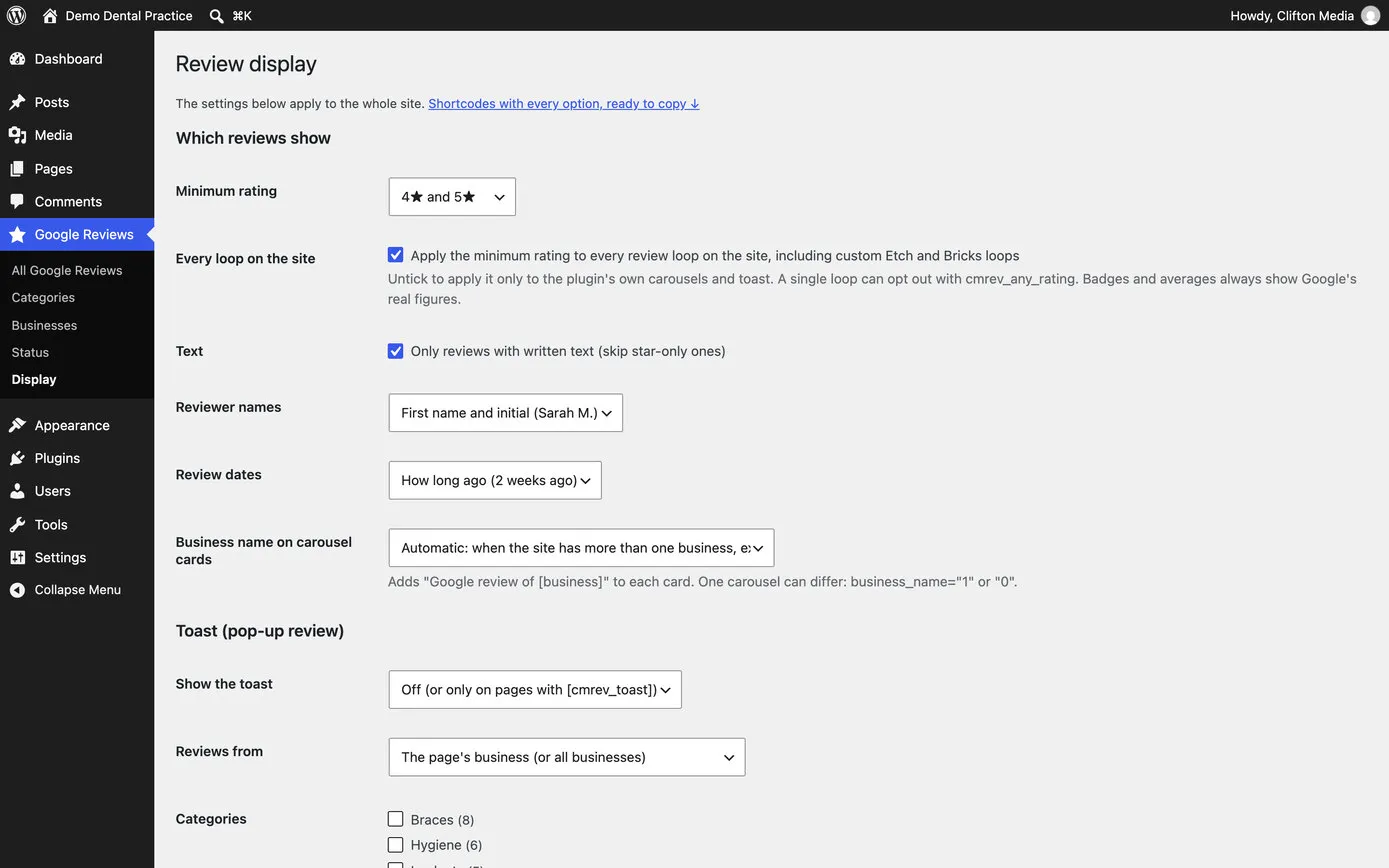
The Review display settings: minimum rating 4 and 5 stars, a tick to apply it to every loop on the site, only reviews with written text, names shown as first name and initial, dates as how long ago, and the pop-up review’s settings

Set once, for the whole site

Lowest rating, written reviews only, names as “Sarah M.”, dates as “2 weeks ago”, and the pop-up’s timing.

  • Settings
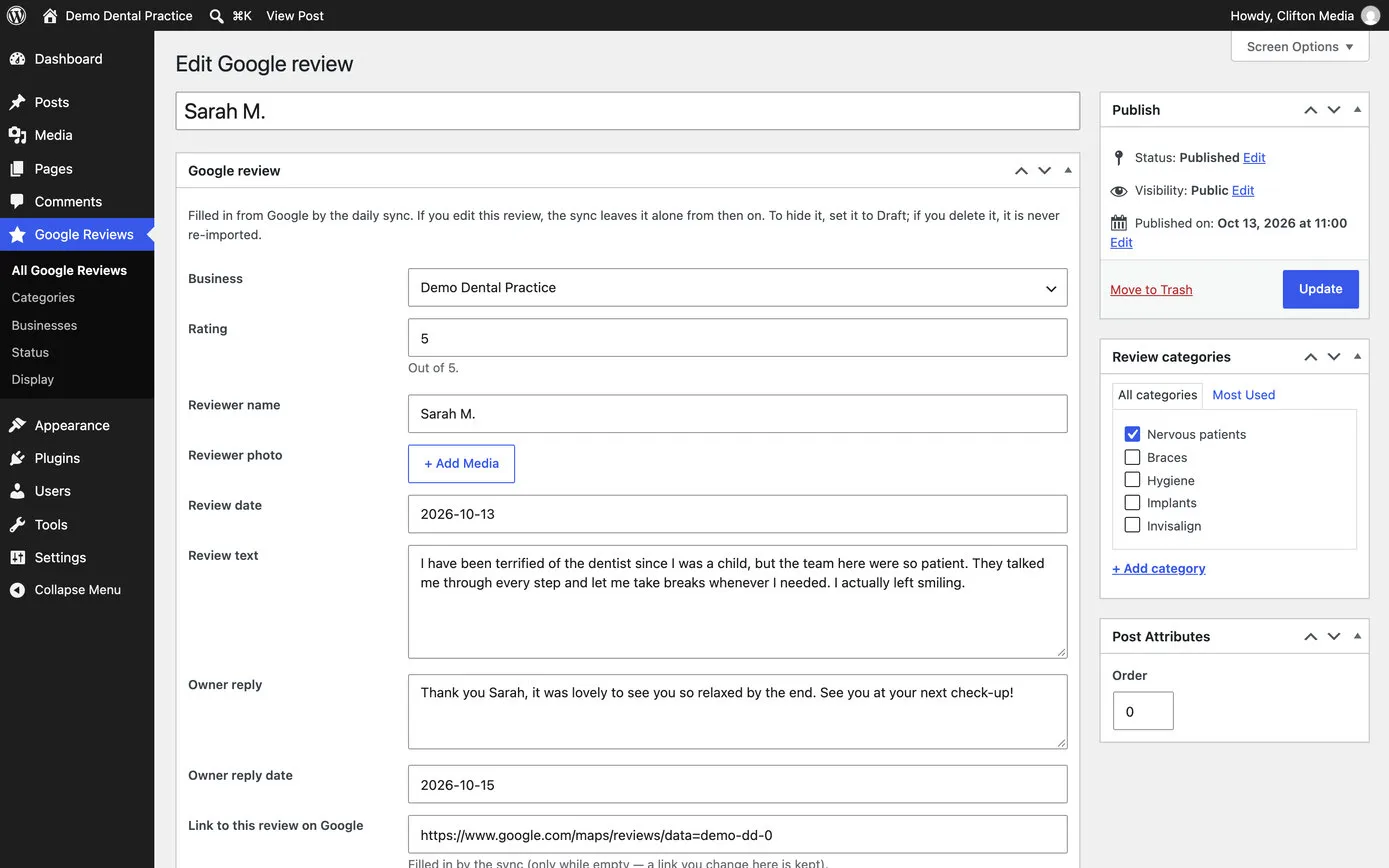
One Google review open in WordPress: the business, rating, reviewer name, photo, date, the review, the practice’s reply and the link to the review on Google, with review categories ticked on the right

One review

Everything Google gave us, the practice’s reply and the categories. Edit it and the daily check leaves it alone.

  • Admin
  • Favourite reviews can be featured, so they come first however old they are.
  • Star-only reviews can be left out, so every card has words in it.
  • Reviewers appear as first name and initial, for their privacy.
  • Each page can be told which practice it belongs to, and its reviews and figures follow.
  • Every card says which practice the review is for, when a site has more than one.
  • Each review links to the original on Google, so anyone can check it’s real.
06

Numbers that are never out of date

We have one rule on every website we look after: a star rating or a number of reviews is never typed in. It always comes from the figures Google gave on its last check, so a badge, a heading and a sentence anywhere on the site all change together when a new review arrives. If a figure is ever missing, it’s hidden, rather than showing an old one.

The stars are drawn to the exact rating. Most review widgets round to whole or half stars; ours fill each star exactly as far as the rating goes, so a rating just under five looks just under five.

filled to the exact rating

The stars on our designs, drawn for an example rating between four and five.
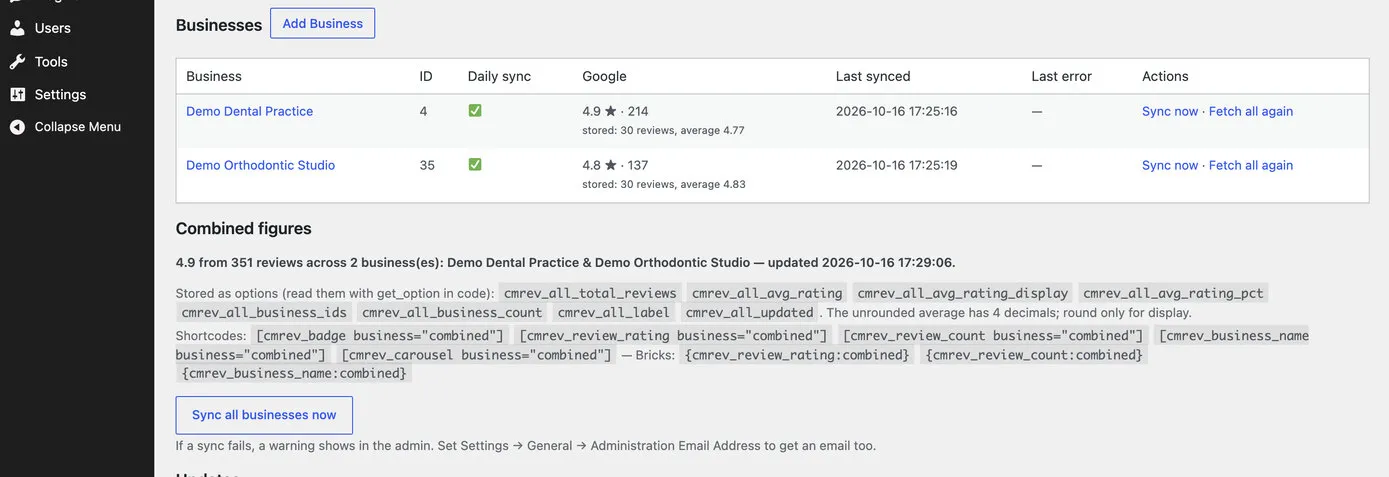
The Status page: a table of two practices with daily updating ticked, Google’s rating and count for each, when it was last updated, Sync now and Fetch all again links, then the combined figures for both practices

Groups of practices

Each practice has its own figures, and a group can show one combined score, weighted by each practice’s number of reviews and named for every practice in it.

  • Status
  • Several practices
We Love Teeth’s rating pill: reviewers’ pictures, blurred, then the average, five stars, the number of Google reviews and the Google G

Google’s own G, on every badge

Google’s four-colour G sits beside every Google rating, card and mention of Google reviews, so there’s never any doubt where a review came from.

  • Badge
07

Looked after on every site at once

CM Reviews updates itself, from our own release channel, the same way WordPress updates any plugin. When we improve it, every website that uses it gets the improvement, usually the same day. Each release is tested first on a throwaway WordPress site of its own, with made-up practices and reviews, and checked in a real browser for page speed, layout and accessibility before it goes out.

Its first week on client websites shows how quickly it can move: each idea from a practice’s website became a release, often the same day.

  1. 6 OctMore than one business on a site, automatic updates, and protection for anything the practice edits. Then the six ready-made designs.
  2. 8 OctA link to every review on Google, the practice’s name on each card, email alerts, and review categories.
  3. 9 OctReviews sorted by category in the admin.
  4. 11 OctA full code review and security check. Combined figures for groups of practices. Google’s own G everywhere. One lowest rating for every review on the site. Faster first paint, and accessibility to WCAG 2.2 AA.
  5. 12 OctRelease 1.17.5, the twenty-fourth that week, and every site up to date.
  1. Accessible

    Built to WCAG 2.2 AA: every control works with a keyboard, links say what they do, buttons are big enough to tap, and moving reviews can be paused or stay still for anyone who prefers less motion.

  2. Fast

    Its styles are added only to pages that show reviews, its script loads after everything else, and nothing moves while the page first appears.

  3. Safe

    Only administrators can connect a business. Saved details are encrypted, and an update is checked before it’s installed.

08

Where you’ll find it

CM Reviews is part of how we build websites in Etch. It’s already live on two dental practices’ sites, with more practices and clinics moving to it as their new websites launch.

We Love Teeth, a private family practice in Weybridge, uses five of the designs, from a carousel on the home page to the pop-up on its treatment pages, with review categories ready, so each treatment page can show the reviews that fit it. The story of the practice’s four websites is in our We Love Teeth case study.

Diamond Court Dental Practice in Bakewell has its reviews designed entirely in Etch: a band and a spotlight carousel, a gently moving marquee on the home page and a Google reviews page of its own, all in the practice’s typefaces.

Diamond Court’s home page marquee a few seconds later: the rows of review cards have moved on

Diamond Court Dental Practice

The marquee, built in Etch from the same stored reviews.

  • Dental
  • Bakewell

Results

Google reviews that look as if they were always part of the website, because they are. They’re quick to load, fresh every day, in the practice’s own style, and the figures beside them are always Google’s current ones. The practices pay no widget subscription, and every improvement we make reaches all of them.

WhatA rented review widgetCM Reviews
Where the reviews liveOn the widget company’s serversIn the website’s own database
What it costs to runA subscription for every siteNo widget subscription
How it looksThe widget’s designs, with a few settingsDesigned in Etch, in the site’s own style
Rating and countOften typed in by handGoogle’s figures from the last daily check
The right reviews per pageUsually the same everywhereCategories, practices and one lowest rating
When something goes wrongOften nobody noticesAn alert in WordPress and by email

Built with

  • WordPress
  • Etch
  • Automatic.css
  • Meta Box
  • PHP
  • JavaScript
  • WP-Cron
  • GitHub releases
  • Automated tests

Would your Google reviews do more for you on your own website? We’d like to hear about it.
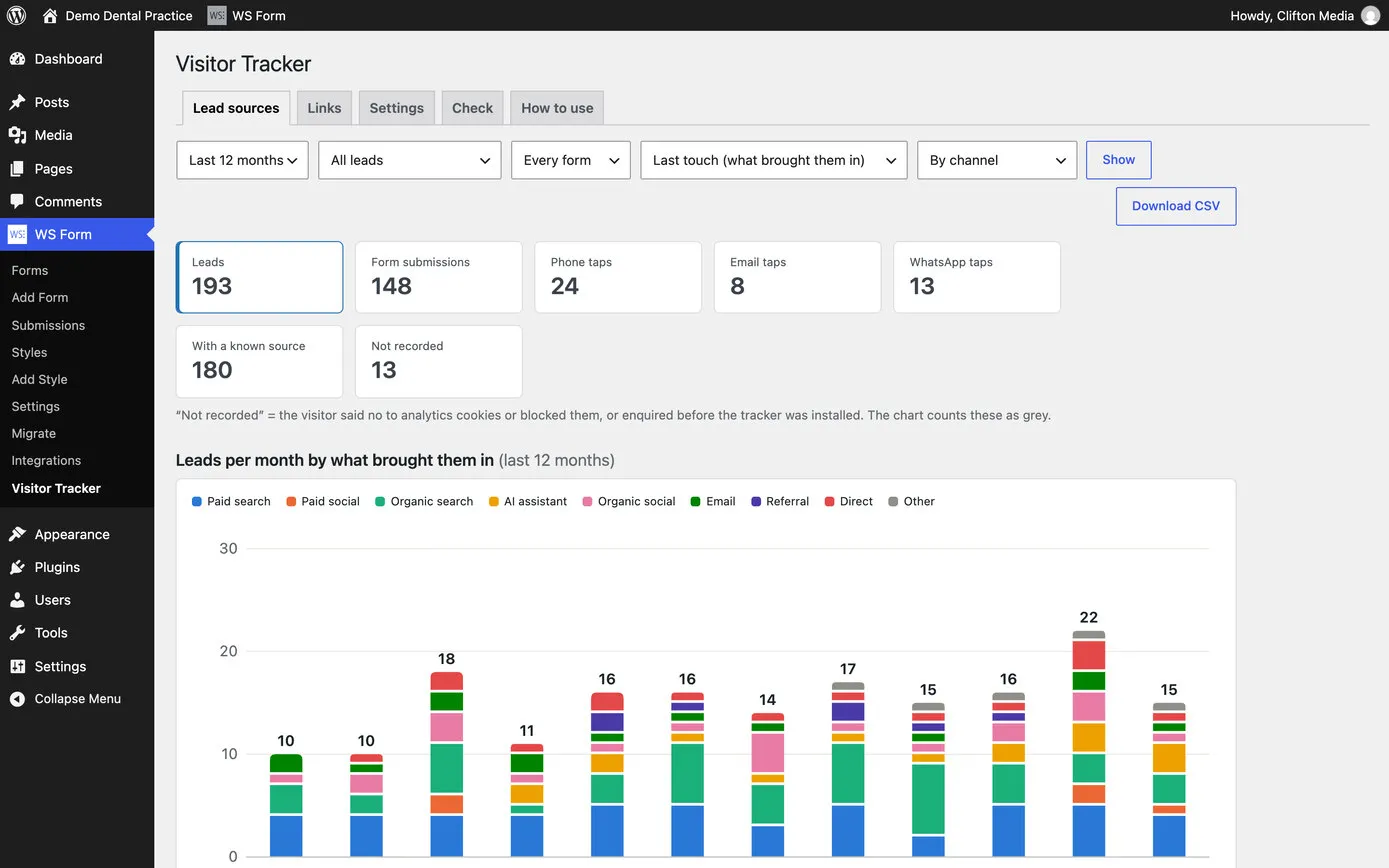
NextCM Visitor TrackerEvery enquiry arrives knowing where it came from: the advert, the search, the AI assistant or the leaflet.

Have a project in mind? We would like to hear about it.

  • Book a callThirty minutes on a video call, at a time that suits youBook a call
  • Phone07515 730686
  • Email
  • BasedMatlock, Derbyshire