Job Applications · Dashboard
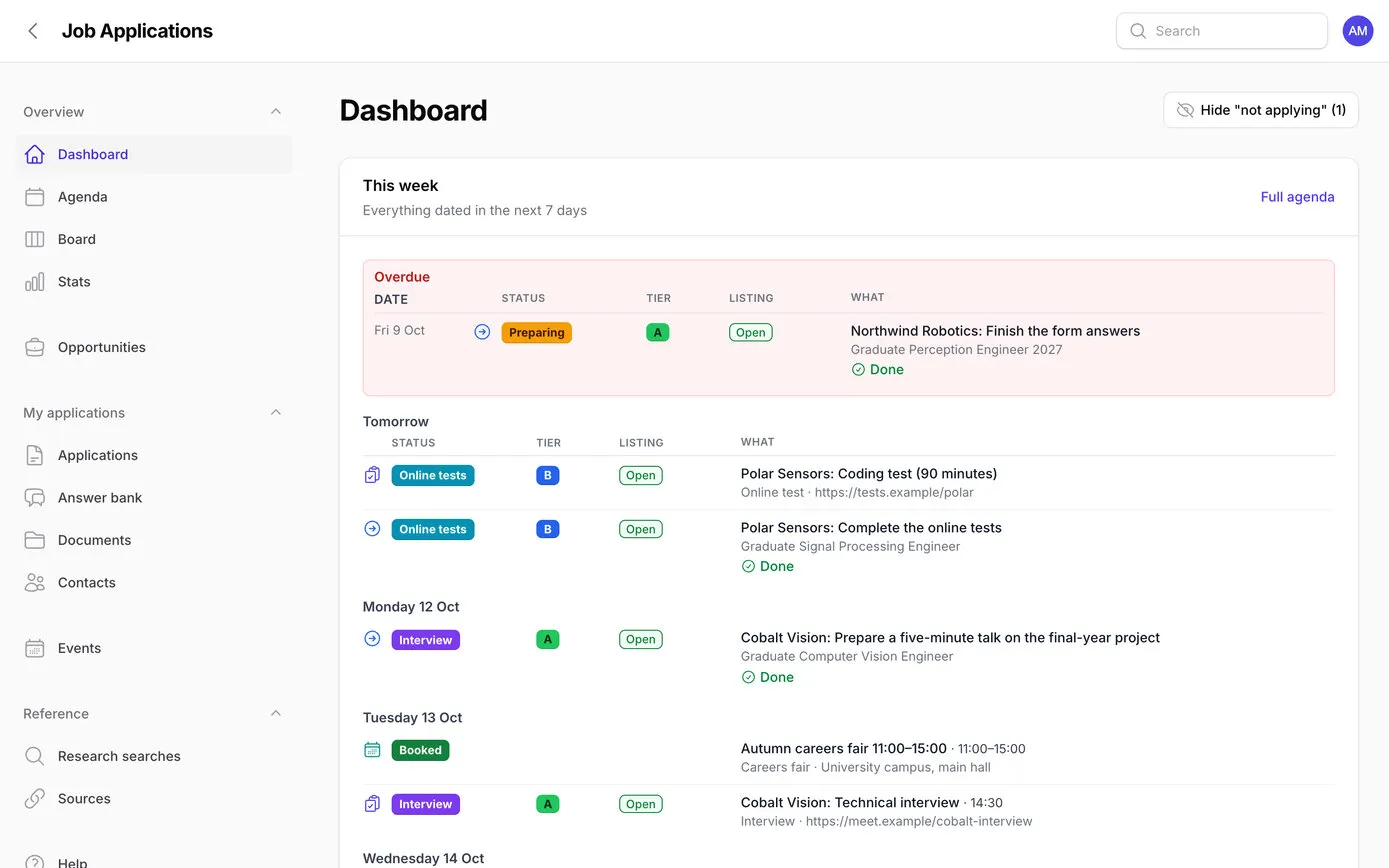
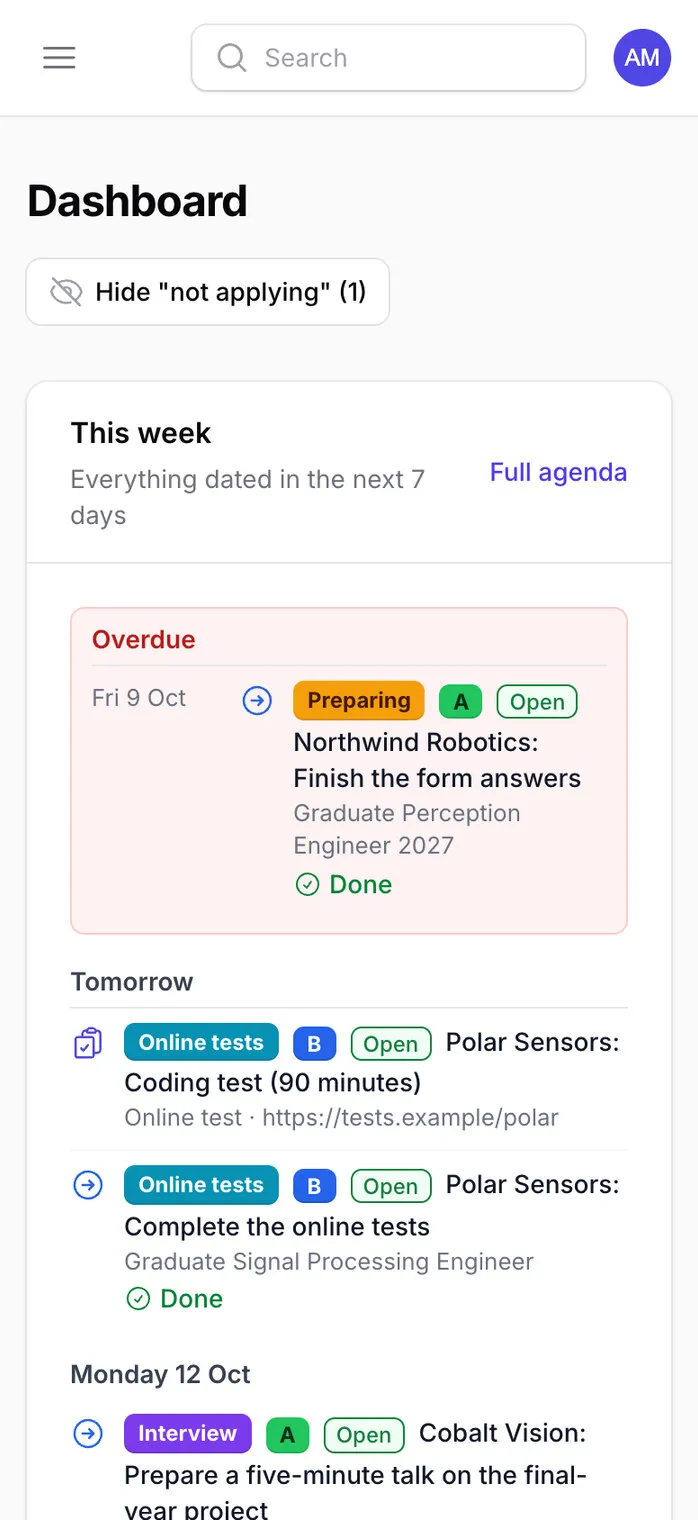
The dashboard
Everything due in the next seven days, anything overdue first in red, then what’s closing soon. Shown here with made-up employers.
- Web app
- Phone
A private web app that runs one graduate’s job hunt: about 260 researched graduate schemes, every application and where it’s got to, tests and interviews, careers fairs, CVs, ready-made answers for application forms, reminder emails and a calendar feed. Mark Pollak built it for a graduate in the family on the evening of 9 October 2026, with Claude, Anthropic’s AI, writing every line of the code. It was live, with all the research loaded, 56 minutes after the first prompt.
Applying for graduate schemes is a project in itself. Most open between October and December, each has its own deadline, form, online tests and interviews, and some close early when they’ve had enough applicants.
The research for this job hunt produced a big Google Sheet: about 200 graduate programmes in the UK and about 50 abroad, a deadline calendar, careers fairs, PhD options and hundreds of links to the pages each fact came from. A sheet is good for research and bad for running a job hunt. It can’t tell you what’s due this week, keep a history of each application, hold the CV that was sent, remind anyone of anything, or show which listings need checking again.
So the brief for the app started with one test:
…opens the app and within ten seconds can see what’s due this week and where every application stands.
Before any code, Mark asked Claude to research the UK graduate market for the graduate’s degree and interests, and to come up with a strategy. That afternoon it produced:
One of the plan’s findings shaped the whole approach: employers screen far more on their application-form questions than on CVs. So the plan says three CVs, not one per employer, with the time going into good form answers instead. A second AI, from another company (OpenAI’s Codex), reviewed the CV draft as well.
Almost every screen in the app comes from something in that research:
| In the research | In the app |
|---|---|
| A, B and C lists, plus a few long shots | A tier on every opportunity, shown as a bold coloured label, and a To decide tab that puts the best tiers first |
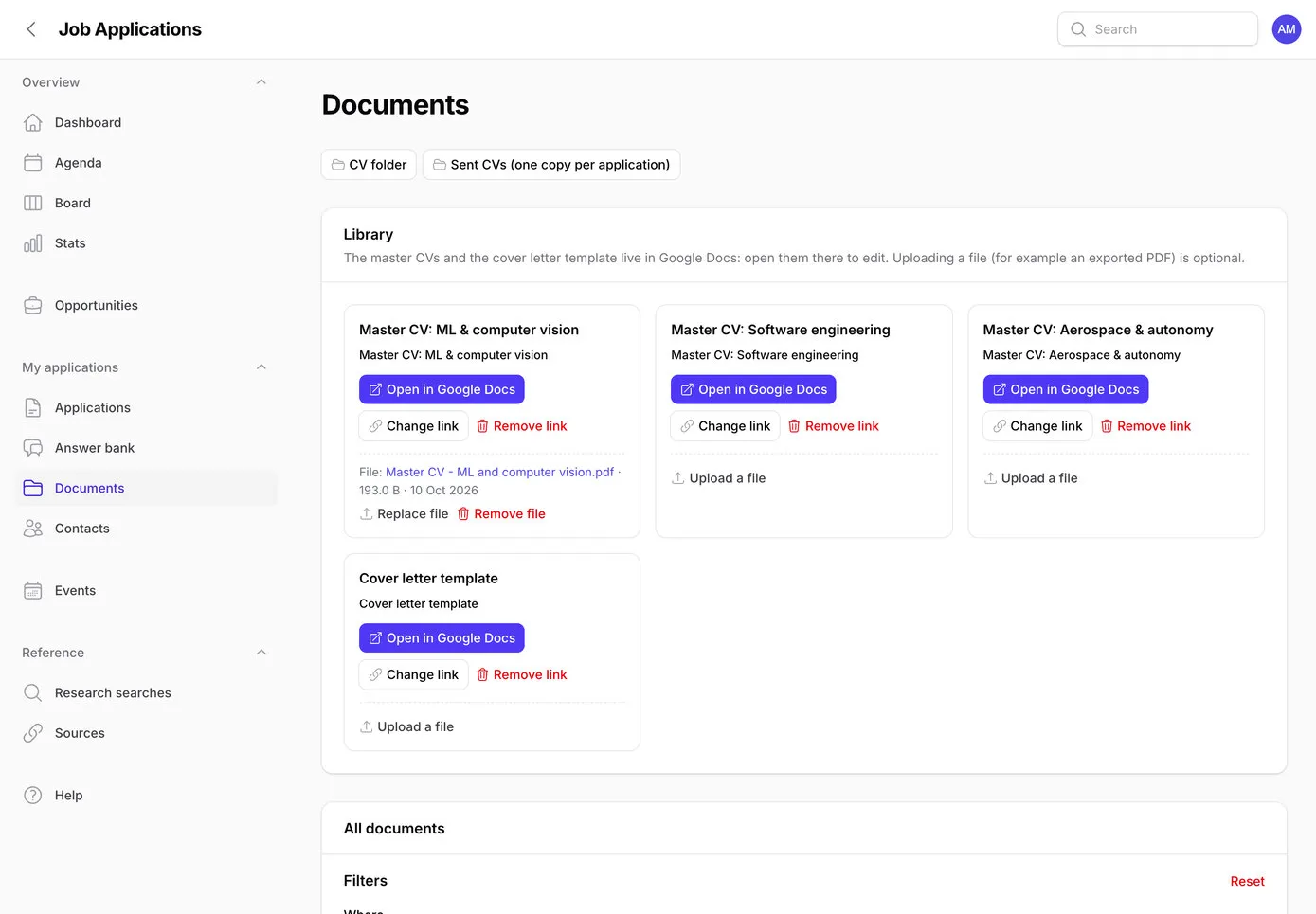
| Three CVs, one per kind of role | The CV to use on every opportunity, filled in automatically when an application starts |
| The sheet’s “Status at 9 Oct 2026” column | A listing status (Open, Rolling, Opens later, Watch…) and the date it was last checked, with a Needs re-check list after 14 days |
| Deadlines written every which way: “rolling”, “expected Jan 2027”, “opens w/c 19 Oct” | The employer’s wording kept word for word, and a closing date only when the text gives a full date |
| The sheet’s orange and yellow urgency colours | The same colours, measured from today: orange within 14 days, yellow within 30 |
| Each employer’s selection stages | A one-page prep sheet before every test and interview |
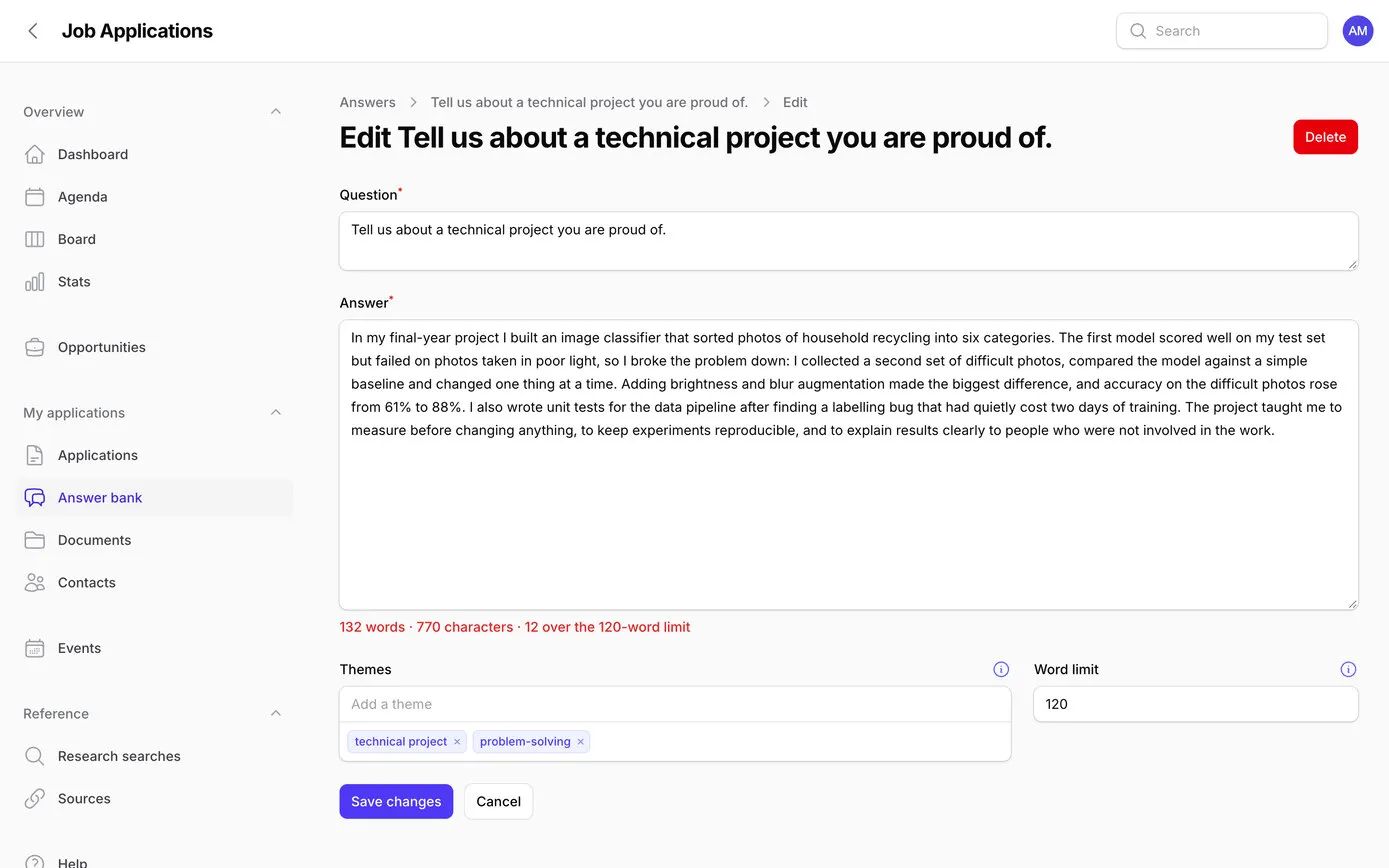
| The cover letter template and form answers | An answer bank with word limits and a copy button |
The research then became a 475-line brief for the app, plus a page of house rules for the AI: the data, every screen, how the import works, what must never happen, and the order to build it in. It’s precise in the places where software usually goes wrong:
Set closes_on only when the cell is a date, or the text starts with a full day-month-year date… Never guess a year. Always keep the original text.
A re-import may update research fields… It must never touch [the graduate’s] own data: applications, status history, steps, documents, answers, contacts, event status, or dismissals.
Written automatically every time an application is created or its status changes, however the change is made. Use a model observer so no code path can skip it.
The house rules covered the rest: UK English, dates written “9 Oct 2026”, 24-hour times, small saved steps, never show a password or key in the chat, and anything on the server that only an account owner should do is left to Mark, with exact instructions. Then one prompt started the build:
This folder is the whole project. Read CLAUDE.md and docs/BRIEF.md, then build Phases 0, 1 and 2 in a single pass without stopping for review, and finish with the handover in BRIEF §11. … Only stop if something fails that you can’t fix yourself, and tell me exactly what you need.
Claude Code, Anthropic’s coding tool, worked through the brief on Mark’s Mac, saving its work to GitHub as it went. About ten of the 56 minutes were spent waiting for things only Mark should do: creating access to the server and typing in the database password. When Claude came across a login with access to the whole server, it didn’t use it, and asked for one that could only reach this app.
With the app live, Mark used it, and asked for changes in plain English as they came up. Claude built each one, tested it and put it live, usually within minutes. Some of that evening and the next morning:
So how can I update the app with new entries if I find them, preferably through your research if possible? Can’t you just automatically check the live Google Sheet?
Two quick questions, each with a recommendation: let a small script inside the sheet send it to the app (it keeps the sheet private), and keep the sheet as the place new research goes. Mark picked both. The sync was live at 22:35.
Let’s make the tiers’ colour coding better: bright green for A, blue for B, amber for C. Make these a bigger font and bold. … This applies wherever the tier is shown in the app.
Done, everywhere a tier appears.
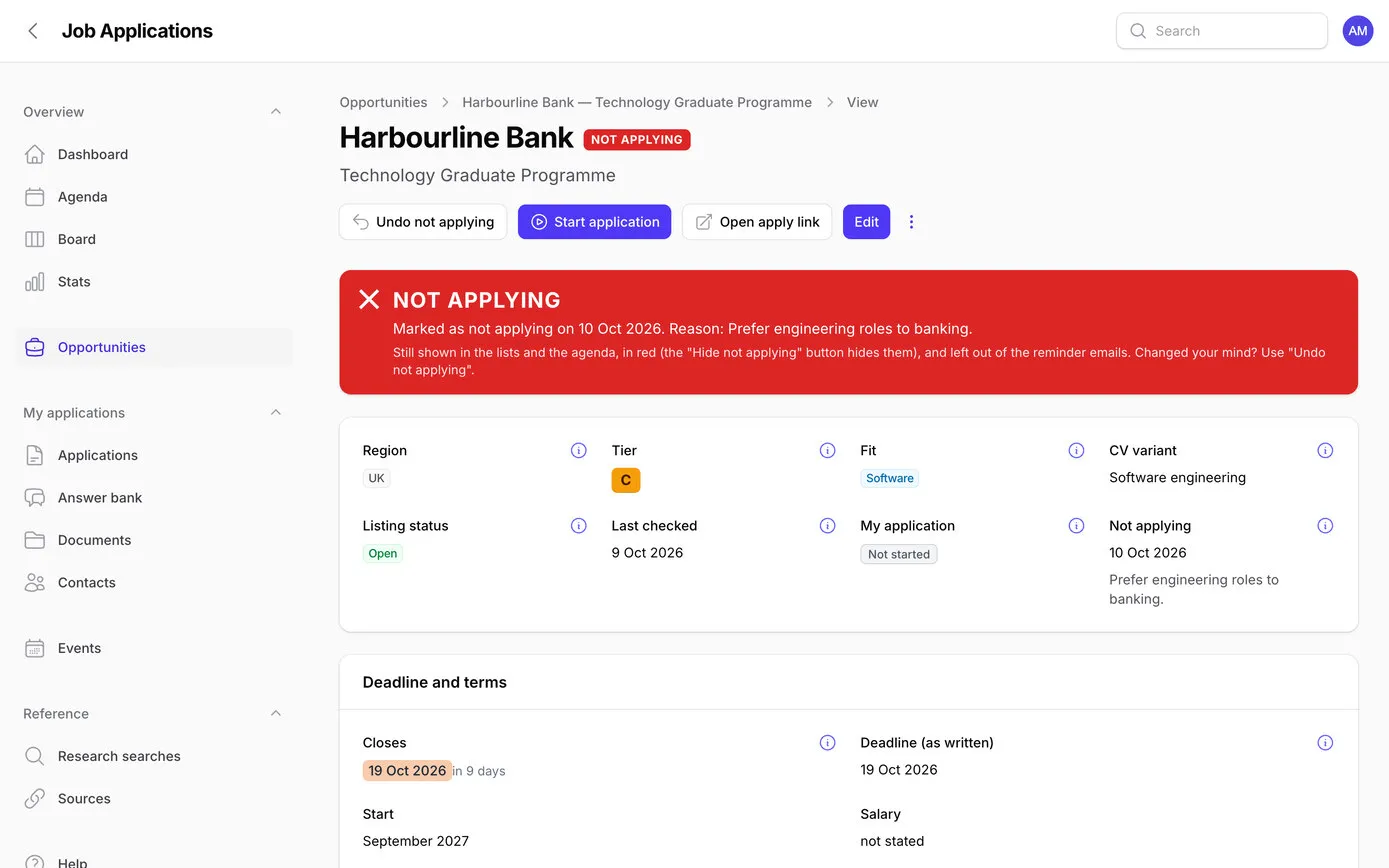
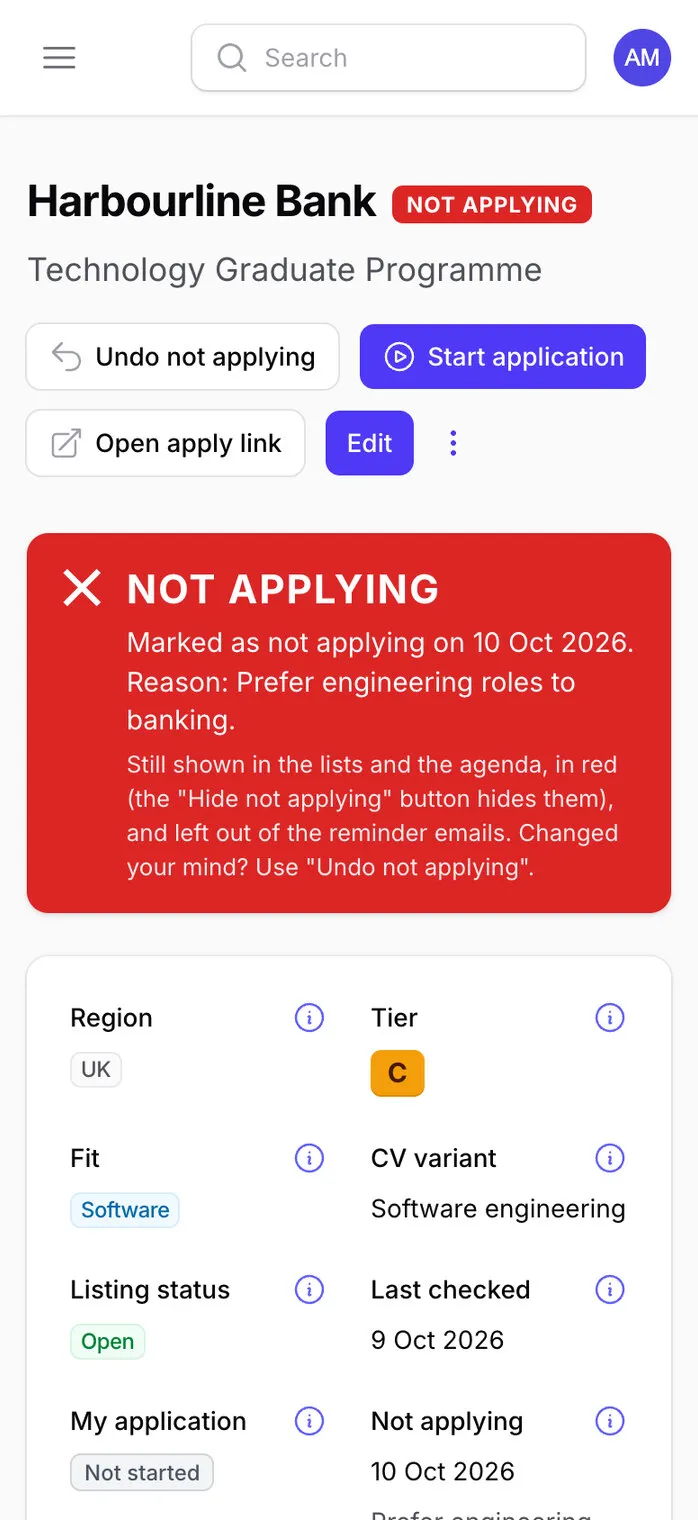
If I’m not applying for a job and it’s marked as such, put an obvious indicator. … Also put it in the listing itself: big red message.
Red rows and a red NOT APPLYING label in the lists, and a big red banner on the listing with the date and the reason.
Let’s just add an obvious way on the lists to show or hide “not applying” opportunities. Remember the choice.
Done: a Show/Hide button that remembers each person’s choice, and turns red with a count of what’s hidden.
After you’ve finished, can you carry out a full audit of the app, checking for bugs, and look for improvements?
Three independent reviewers, working in parallel on security, correctness, and usability with server risks. Every finding checked against the code before anything is fixed. Then seven ideas for improvements.
Can we also add a help section? … These instructions will be kept up to date by you as we make changes to the app.
Also add little i icons next to anything ambiguous. … Language needs to be really clear.
A Help section: a 2,500-word manual, the job-hunt strategy, a glossary of 34 terms and about 70 small ⓘ explanations around the app, with a standing rule that every change updates them.
Do all ideas.
All seven built, tested and live.
Mark’s own messages, with typing slips tidied. Claude’s replies are summarised.
Opportunities are the research: every scheme with its tier, the kind of work, where it is, the closing date in the sheet’s urgency colours (or the employer’s own words when there’s no date) and the CV to send. Tabs split them into Active, To decide, Applying, Not applying and Closed, and the filters above the list apply as you choose them.
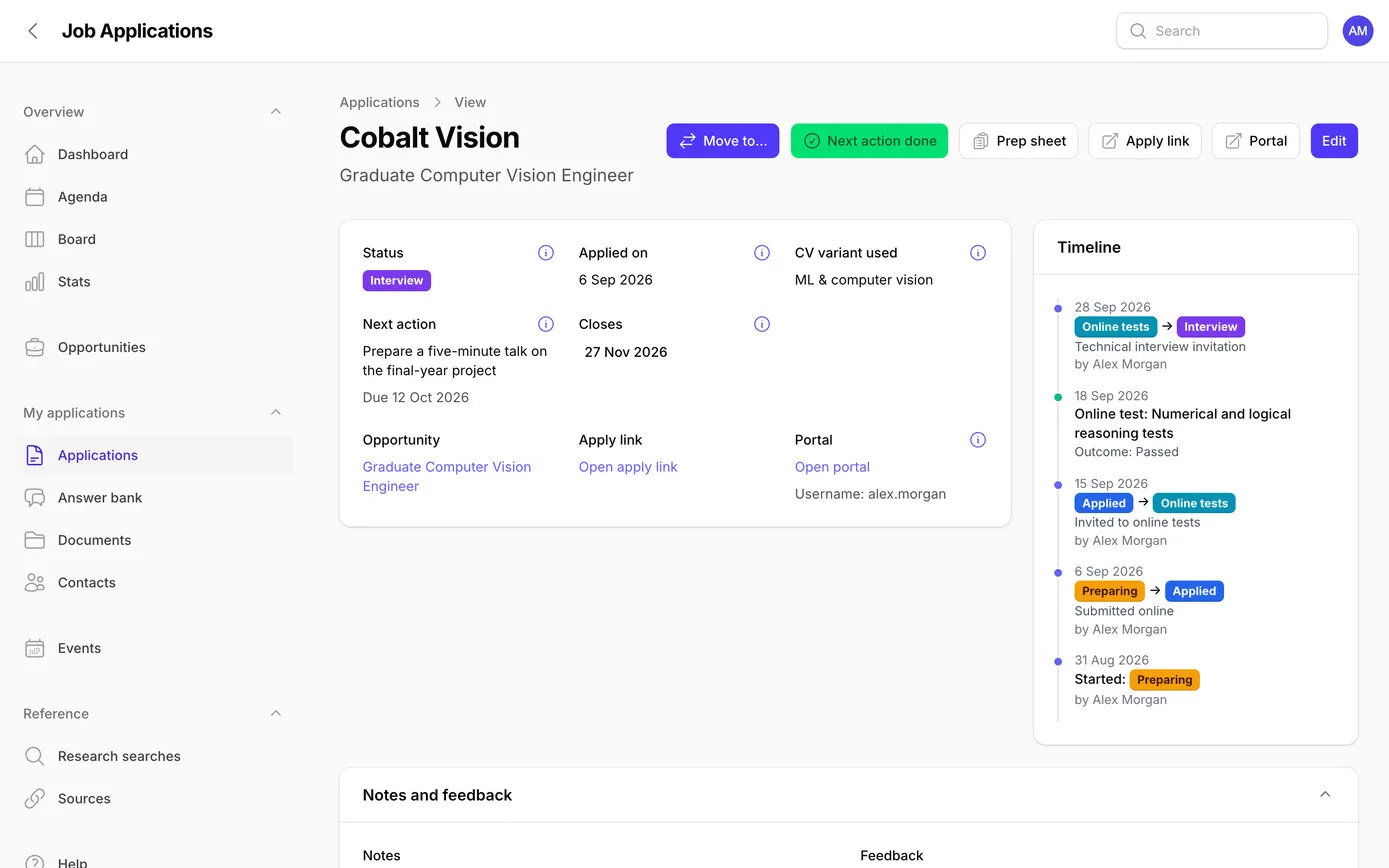
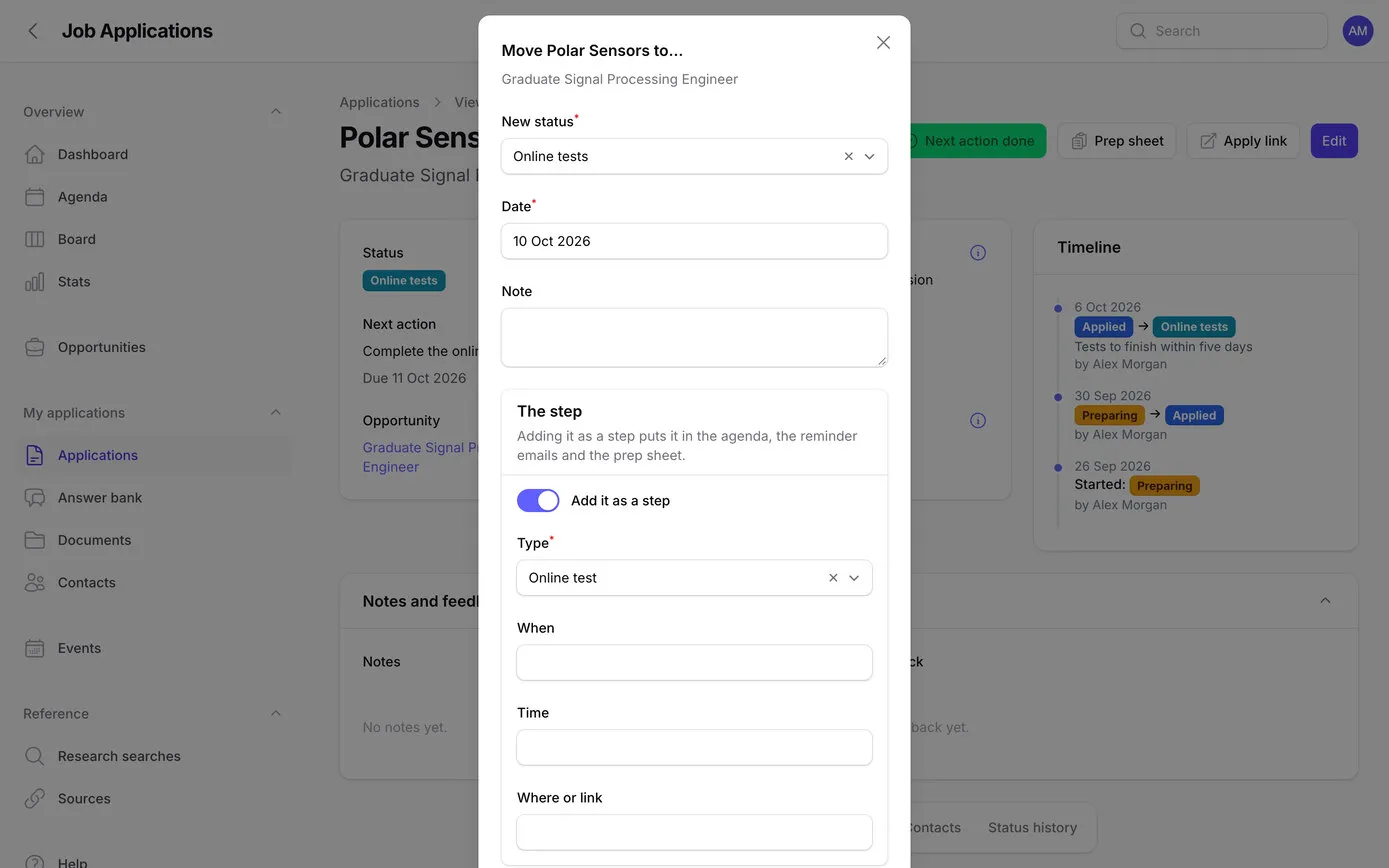
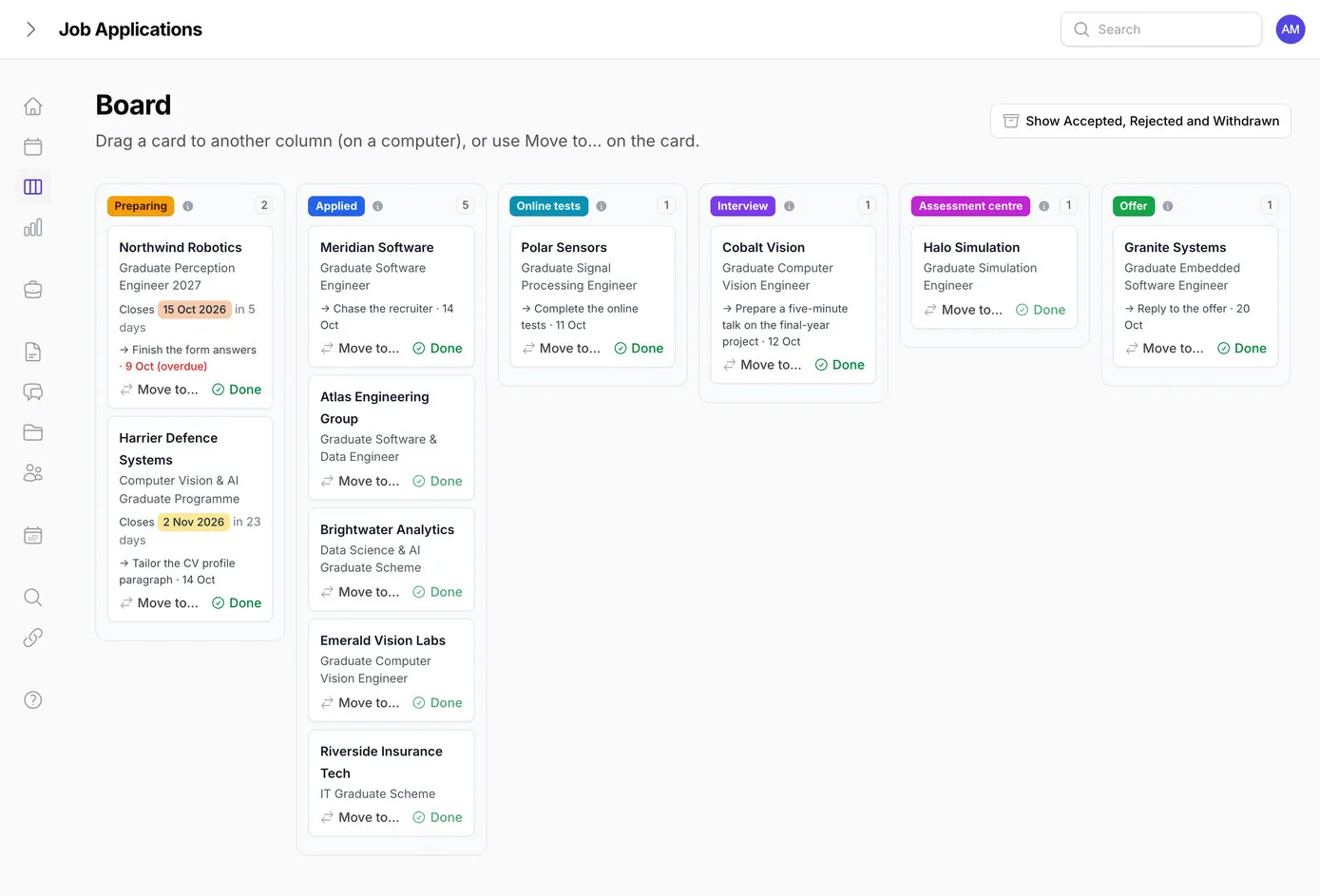
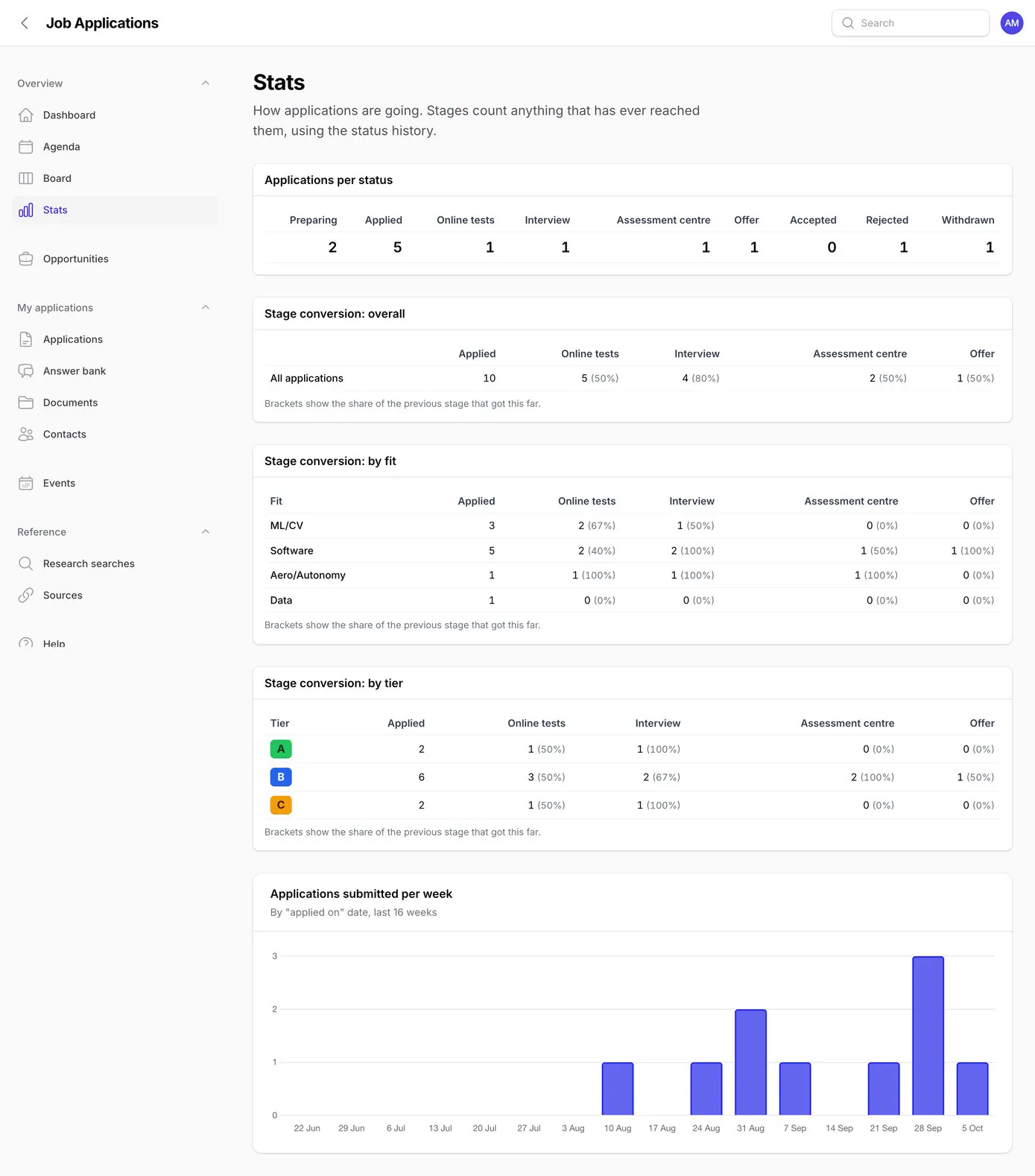
Start an application and it opens at Preparing with the right CV filled in. From there it moves on through Applied, Online tests, Interview, Assessment centre and Offer, and every move is written into its history automatically, however it’s made, so the timeline on each application is always complete.
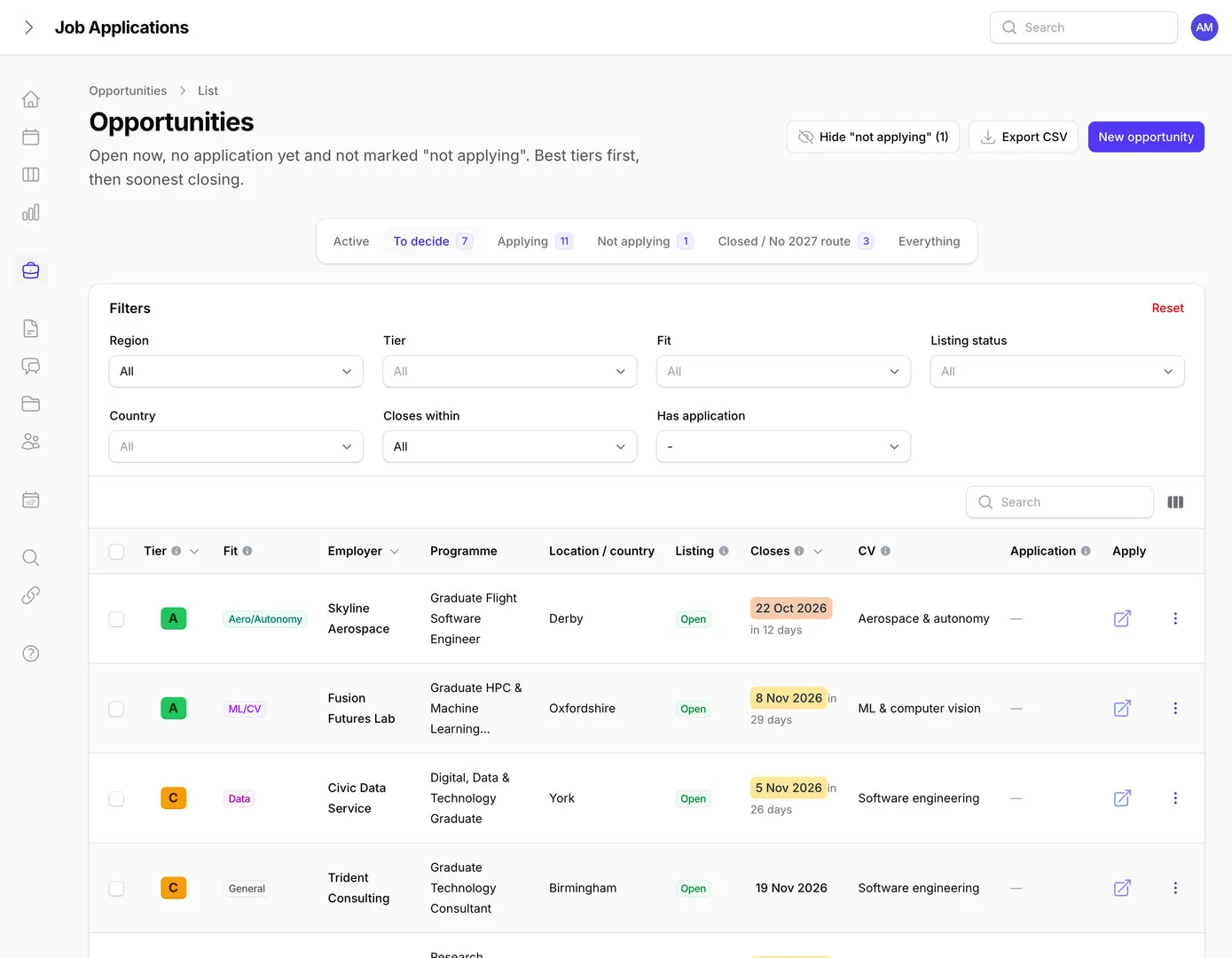
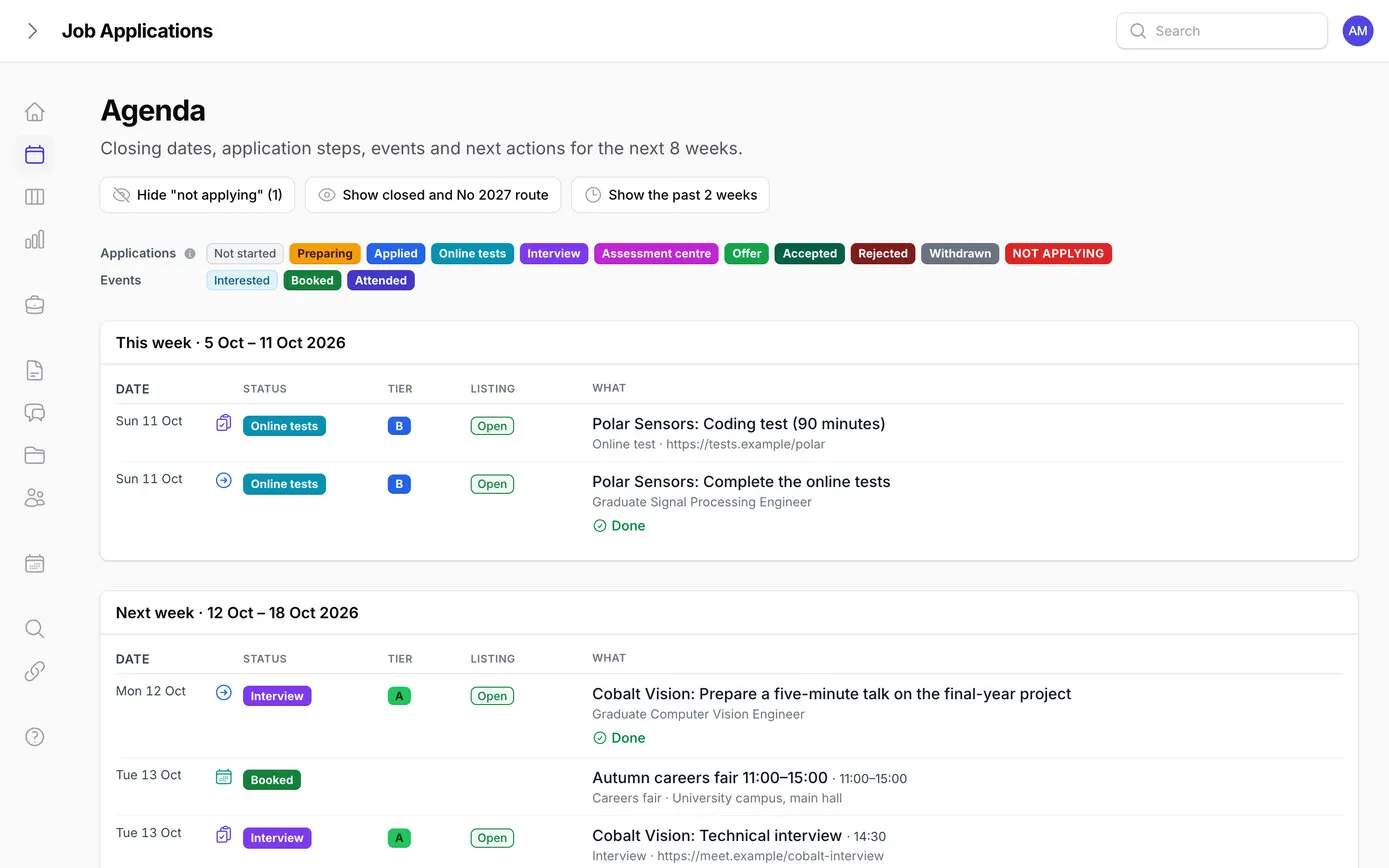
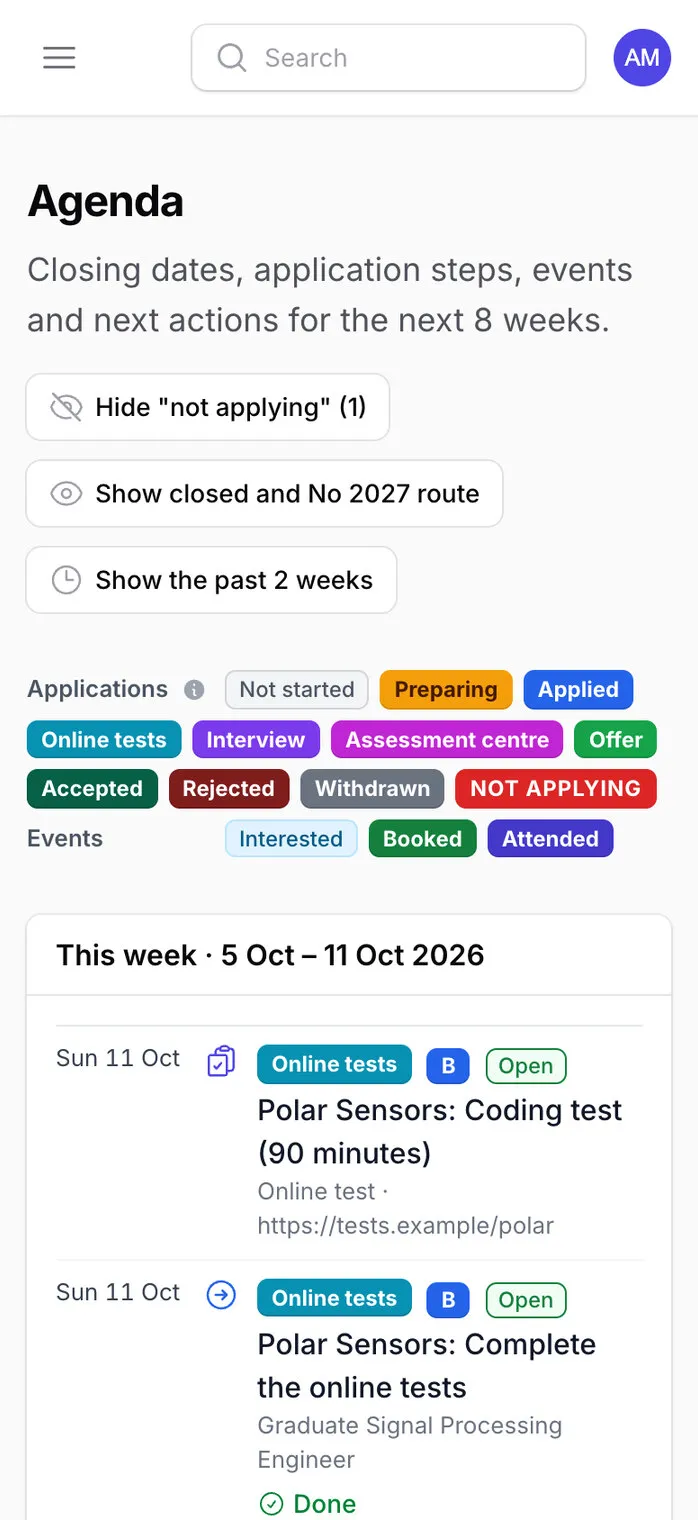
The agenda shows the next eight weeks, week by week: closing dates, tests and interviews, careers fairs and next actions, each with its status, tier and listing labels, and a colour key at the top. It’s built on one shared list of what’s coming up, which also feeds the dashboard, the reminder emails and the calendar feed, so they always agree.
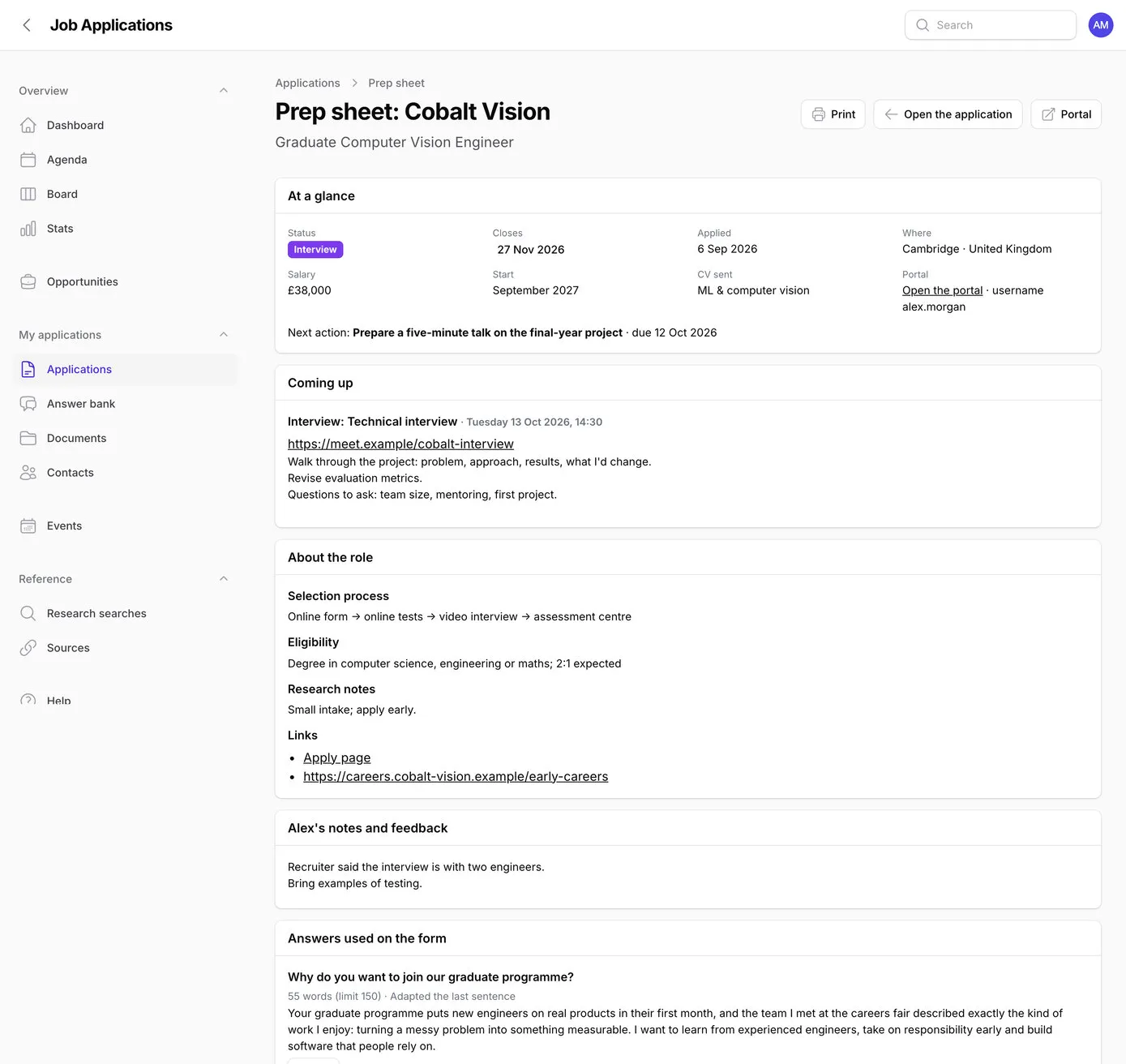
Before a test or interview, the prep sheet puts everything on one printable page: what’s coming up and the notes for it, the employer’s selection process, eligibility, research notes and links, the answers used on the form (with copy buttons), contacts, documents sent and the steps done so far.
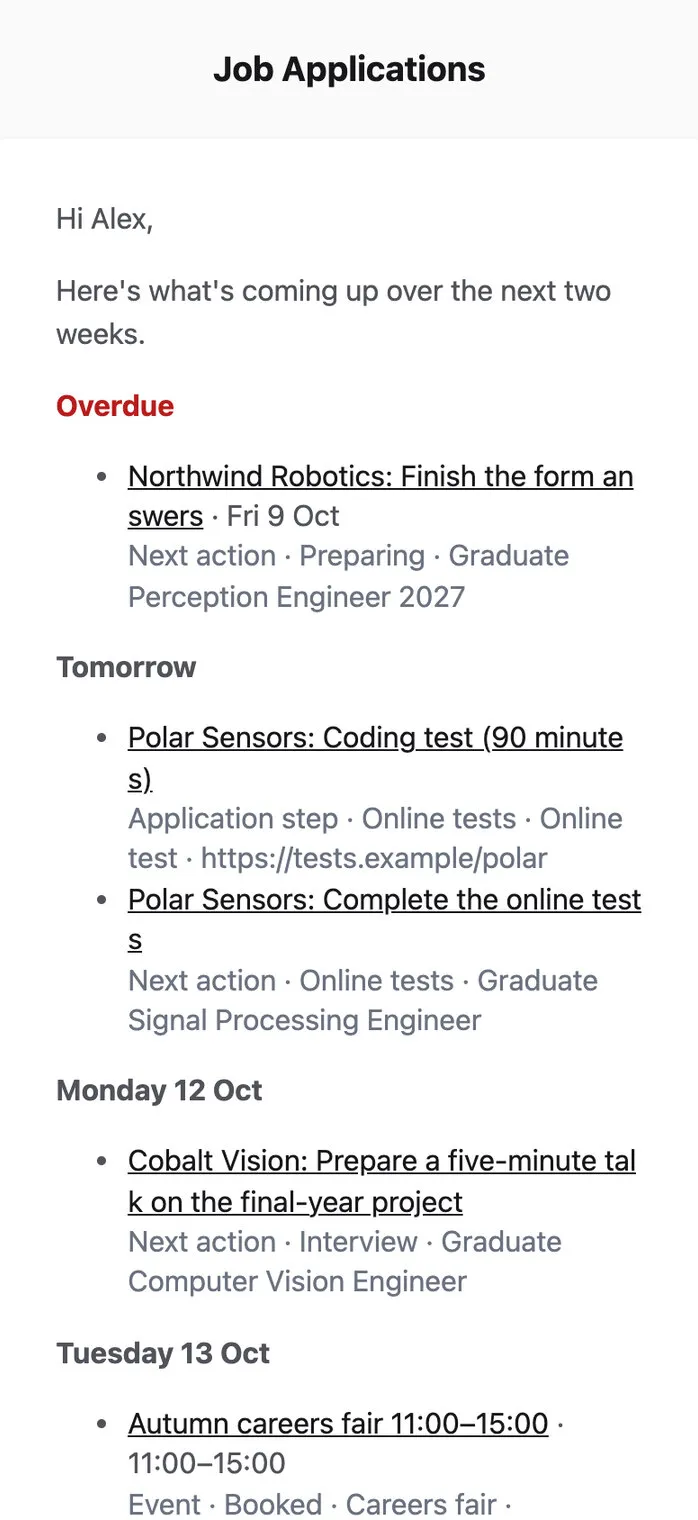
Nobody should have to open an app to find out they’ve missed something. At 7:30 each morning, if anything is due in the next three days or is overdue, an email lists it. On Mondays a longer one covers the next two weeks, where every application stands, anything that’s gone quiet and how many listings need checking again.
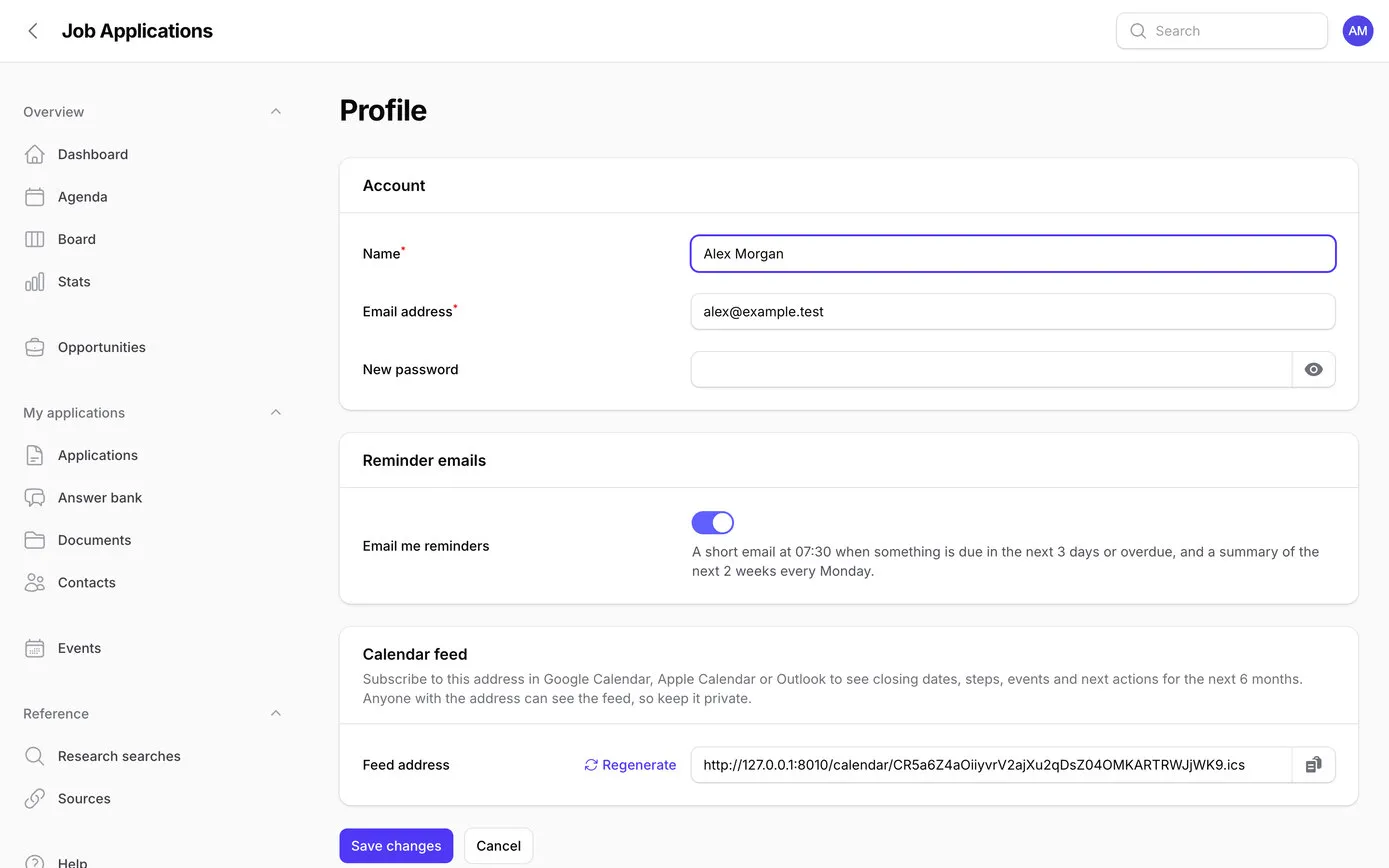
There’s also a private calendar feed for Google, Apple or Outlook calendars, with six months of closing dates, tests, interviews, events and next actions. Each person can switch the emails off, and get a new feed address if the old one is ever shared by mistake.
The sheet didn’t go away. It’s still where research goes, by Claude or by Mark, and the graduate never needs to open it. The app is where the job hunt happens. Every morning at about six, a small script inside the sheet sends a copy of the whole thing to the app. The sheet also has a menu: Send to app now, and Check what would change, which changes nothing and says what would happen.
How the sync works. The figures are from the first sync after a research run.
How the app decides between the sheet and its own edits, from the demo copy, with made-up employers. It keeps a copy of what each sync wrote, and compares three versions of every field:
| Field | Written by the last sync | In the app now | In the sheet now | What happens |
|---|---|---|---|---|
| Salary, Fusion Futures Lab | £35,000 | £35,000 | £36,500 | Nobody changed it in the app, so the sheet’s new figure goes in |
| Notes, Meridian Software | Small intake; apply early. | Spoke to them at the careers fair: apply before December. | Rolling: most places go before Christmas. | Changed in the app, so the app’s note stays, and the report shows both |
Job Applications · Check what would change
Dry run, nothing saved.
Opportunities: 1 new, 4 updated, 26 unchanged.
Events: 0 new, 0 updated. Sources: 1 new.
1 changed in the app, so kept (see the report).
Deadline calendar conflicts: 1. Skipped rows: 0.
The summary the sheet shows after a dry run, from the demo copy. A full report is saved on the server each time.
The sheet stays private: it’s never shared by link. The script runs as Mark and proves itself to the app with a secret key, which the app checks before it reads anything. Only one sync runs at a time, the file must really be a spreadsheet and under 10 MB, and a stray value far down the sheet can’t make it run out of memory.
Nobody read every line of this code, so it had to be checked in other ways. Claude wrote tests alongside every feature and ran them before every save: 22 when the first features were saved, 234 by the end. It looked at every screen in a real browser after each change, about 60 rounds of checks at laptop and phone sizes. And the morning after launch, Mark asked for a full audit.
Claude set three separate reviewers to work at the same time, each a fresh AI session with the project’s rules and one job. They could read every file and run the tests, but not change anything, and every finding needed the file and line as evidence. The main session then checked each finding against the code before fixing it.
Every route into the app, every piece of hand-built HTML, uploads, links, password reset and the importer as a way in. 3 medium and 9 low findings.
The import’s matching and merging, the history, reminders, time zones in the calendar, the stats and slow database queries. 2 high, 4 medium and 10 lower findings, each bug reproduced in a scratch database first.
Labels, empty screens, phone layouts, gaps against the brief, and every PHP function a typical server switches off. 14 usability points, 15 server risks and 8 ideas.
A few of the things they found, all fixed with tests the same morning:
php artisan test
............................................................................
 ............................................................................
 ............................................................................
 ......

 Tests: 234 passed (1019 assertions)
 Duration: 10.74s
The app’s tests, run on the demo copy on 10 October 2026. Each one starts from a fresh, empty database.
The app runs on Clifton Media’s own server, behind a sign-in, and tells search engines to stay out. There’s no public sign-up: Mark creates every account directly on the server, so passwords never pass through the AI. Files live on a private disk and download only for someone signed in, and keys are kept out of the code, the chat and the logs.
Each update goes live with one command: the site shows a short “back in a moment” page for about 20 seconds while the new code goes in, and a safety net brings it back up if any step fails.
| Part | What it is | What it does here |
|---|---|---|
| Laravel 12 | A PHP framework for web apps | The app itself: data, rules, emails, the scheduler and the sync |
| Filament 5 | Ready-made admin screens for Laravel | Lists, filters, forms, tabs and the dashboard, with no third-party plugins |
| Livewire and Alpine.js | Small tools for screens that update without reloading | Live word counts, the drag-and-drop board, instant filters |
| PhpSpreadsheet | Reads Excel files in PHP | Reads the sheet, including real date cells |
| MariaDB | The database | Everything the app stores. The tests use SQLite instead |
| Google Apps Script | Scripts that run inside Google Sheets | The 6am sync and the sheet’s menu, in 92 lines |
| SendGrid | Email delivery | Reminder emails and password resets |
| Pest | A testing tool for PHP | The 234 automated tests |
| GitHub | Where the code is kept | Every change saved with a note of what and why: 36 in all |
| Cloudways | Managed cloud hosting | Our server, with HTTPS and a cron job that runs the scheduler every minute |
Anthropic makes Claude in several sizes, and you choose one for each job. The bigger models are better at long, complicated work and cost more to run. You also choose an effort level, from low to max: how much the model thinks before it acts. More effort is slower and uses more tokens, but makes fewer mistakes over a long build.
Every step of this build ran on Claude Opus 5.5 at “xhigh” effort, the second-highest setting, and so did the three reviewers.
| Model | What it’s for | On this project |
|---|---|---|
| Claude Fable 5.1 | Anthropic’s most capable model, and the most expensive | Not used for the build |
| Claude Opus 5.5 | Long, complicated work such as building software | The whole build, the fixes and the three reviewers |
| Claude Sonnet 5.5 | Quicker and cheaper, for lighter jobs | Two research sessions looking for new graduate schemes |
| Claude Haiku 5.5 | The smallest and quickest | Summarising web pages while researching |
AI models read and write in tokens, a few letters each. The build wrote about 870,000 tokens of code, reasoning and reports, and read about 375 million: mostly the conversation so far, re-read at every step from a cache, which costs a fraction of fresh reading. Claude Code’s own counter put the first two hours and twenty minutes at US$46.54 at Anthropic’s pay-as-you-go prices.
I didn’t write a single line of this code, and I couldn’t tell you in depth how most of it works. In that sense it’s a black box. What gives me confidence is how it was checked: Claude tested its own work as it went, and separate AI sessions audited it independently, each looking for different problems, with every finding checked before it was fixed.
It’s like a bunch of boffins coming together and building it to best practice.
Could we release it publicly? I’m not sure. It was built for one household: there are no user roles, everyone sees everything, and it expects one particular Google Sheet. A public version would need support, and there’s the question of liability if it were ever hacked. Then again, that can happen with software written by people too.
Working at this level burns through quite a few tokens. But it’s still amazing: a proper bespoke tool, researched, built, checked and live in an evening. That just wasn’t possible before.
The app went live on the evening of 9 October 2026. The first research run after launch added six new verified schemes. A longer search the next morning checked about 250 employers’ careers pages and found nothing new, a good sign the original research was complete.
One idea is waiting for later: paste in a job advert, and have Claude fill in the new opportunity for checking.
| By the end of the second morning | How many |
|---|---|
| Opportunities in the app | 266 |
| Saved changes to the code | 36 |
| Automated tests | 234 |
| Lines of application code | 9,226 |
| Words of help inside the app | About 4,000 |
From the build notes, 9 and 10 October 2026.
Built for one family’s job hunt, not for sale. If you have a spreadsheet that’s trying to be an app, we’d like to hear about it.